

With the release of tvOS 17, Apple has taken the Apple TV 4K experience to the next level—making it smarter, more personalized, and more powerful than ever before. From entertainment lovers to gamers and productivity enthusiasts, everyone can now enjoy deeper integration and smoother performance. In this guide, we’ll explore the most valuable Apple TV 4K tips and hidden tricks that turn your device into a true multimedia hub for 2025.
Whether you want to streamline your smart home, enhance gaming sessions, or improve your daily routine, these Apple TV 4K tips will help you maximize every feature built into Apple’s latest platform.
Refreshed Interface and Smarter Navigation in tvOS 17
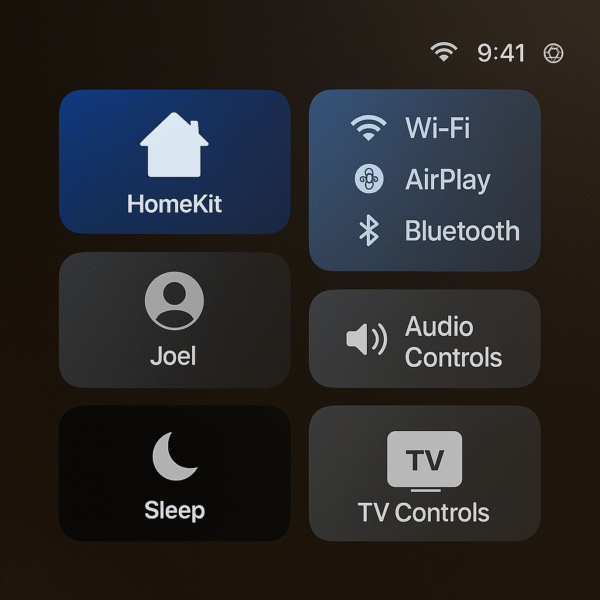
One of the most useful Apple TV 4K tips for 2025 centers around the redesigned tvOS 17 interface, which introduces smoother, more intuitive controls for everyday use. Navigating between apps and personal profiles has never been easier, thanks to Apple’s refined design and smarter gesture support.
Key Improvements:
Swipe Gestures with the Siri Remote: Effortlessly scroll through apps, menus, and playlists using precise touch-based controls.
Fast App Switching via Control Center: Jump between apps instantly without returning to the home screen.
Personalized Profiles: Enjoy tailored recommendations for each household member—perfect for families or shared accounts.
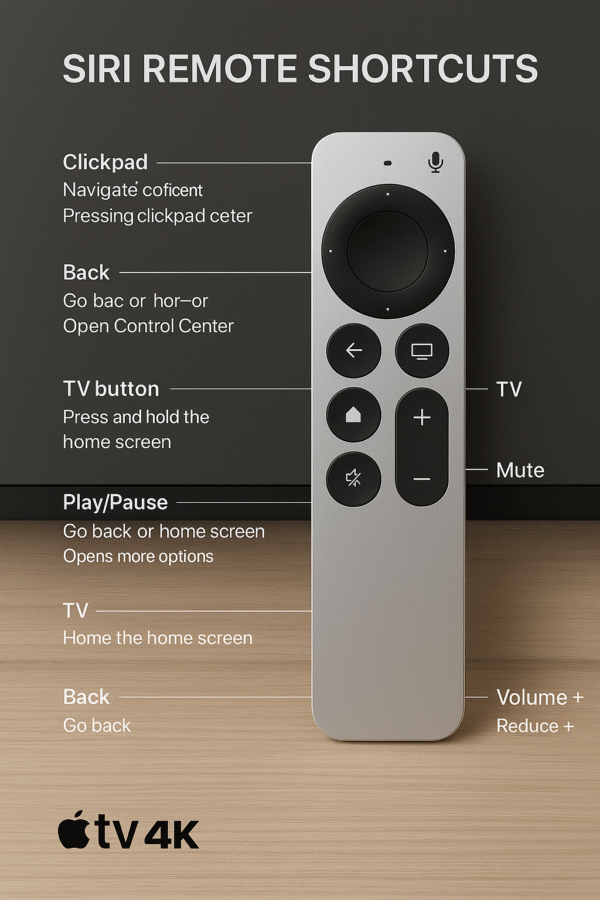
Pro Tip: Long-press the TV button on your Siri Remote to open Control Center instantly from any screen. This simple shortcut is one of the most time-saving Apple TV 4K tips you can use every day.
Mastering Multiview: One of the Best Apple TV 4K Tips in tvOS 17
Among the most impressive Apple TV 4K tips introduced with tvOS 17 is Multiview, a feature that lets you take full control of your entertainment experience. Whether you’re a sports fan, multitasker, or news junkie, this functionality turns your screen into a dynamic, customizable viewing hub.
What You Can Do with Multiview:
Watch two sports events simultaneously without switching inputs or apps.
Split your screen between news coverage and your favorite streaming app for real-time updates.
Add live score overlays from the Apple Sports app for instant game tracking.
Use Case Example:
Try using picture-in-picture mode to watch Monday Night Football while streaming Netflix on the same screen — a perfect balance of sports and entertainment.
For fans who love multitasking, this is one of the most powerful Apple TV 4K tips to elevate your viewing experience in 2025.

Apple Fitness+ Integration: One of the Healthiest Apple TV Tips
Another standout addition to tvOS 17 is the enhanced Apple Fitness+ integration, which transforms your living room into a personal gym. This upgrade is not just about exercise—it’s about creating a smarter, more connected fitness experience. Among the most valuable Apple TV 4K tips, using Fitness+ on your big screen gives you motivation, metrics, and connection in one seamless setup.
Key Features:
HD Apple Fitness+ Workouts: Stream beautifully rendered workouts with crisp visuals and smooth performance.
Real-Time Metrics: Pair your Apple Watch to track heart rate, calories, and progress directly on your TV screen.
Personalized Trainer Suggestions: Get tailored workout recommendations based on your goals and history.
Bonus Tip:
Use SharePlay to invite friends to join remote workouts, making fitness social and engaging from anywhere.
For health-focused users, this is one of the most rewarding Apple TV 4K tips—bringing professional training and accountability right into your home.

Gaming Upgrades: Essential for Next-Level Play
For gamers, tvOS 17 takes the Apple TV 4K to new heights, offering smoother performance, better compatibility, and more immersive gameplay. These improvements make Apple’s streaming box a serious contender for casual and competitive players alike. Among the most exciting Apple TV 4K tips, optimizing your gaming setup can dramatically improve both visuals and responsiveness.
New Gaming Features:
PS5 DualSense & Xbox Series X Controller Support: Enjoy haptic feedback and adaptive triggers for a console-quality feel.
120Hz Gaming on Supported TVs: Experience ultra-smooth motion and reduced input lag during fast-paced gameplay.
Cloud Saving Across Devices: Pick up your game from any Apple device without losing progress.
Featured Titles:
NBA 2K24 Arcade Edition
LEGO Brawls
Sonic Dream Team
These upgrades make gaming one of the most underrated Apple TV 4K tips—turning your entertainment hub into a capable gaming console for 2025.

Family Safety & Parental Controls: Smart Apple TV 4K Tips for Every Home
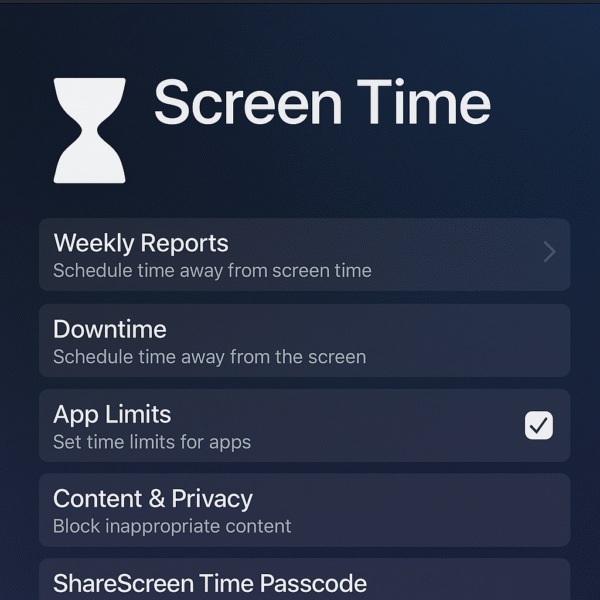
When it comes to creating a safe and family-friendly environment, tvOS 17 offers robust privacy and parental control tools built right into the Apple TV 4K. These settings help parents manage what content children can access while keeping the overall experience personalized and secure. Among the most practical Apple TV 4K tips, setting up these restrictions ensures peace of mind without limiting fun.
Safety Features You Can Enable:
Content Restrictions by Rating: Limit movies, shows, and apps based on age-appropriate categories.
Profile-Specific App Access: Customize which profiles can open streaming or gaming apps.
Screen Time Monitoring: Track viewing habits and set daily time limits per profile for balanced screen use.
By using these built-in controls, your Apple TV 4K setup becomes a safe, shared space for every family member — proving that smart entertainment can also be responsible entertainment.
Siri Shortcuts & Automations: Powerful Tip for Smarter Living
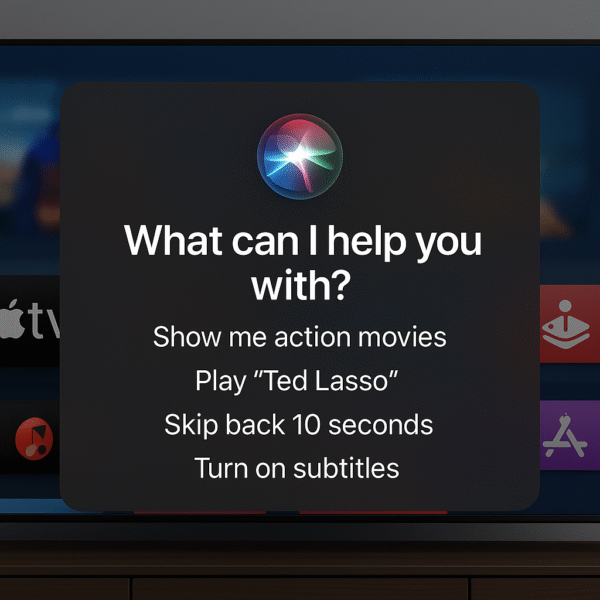
With tvOS 17, Apple has made the Apple TV 4K more connected than ever through Siri Shortcuts and HomeKit automation. These integrations let you control entertainment, lighting, and even ambiance — all with your voice or a single tap. Among the most game-changing Apple TV 4K tips, setting up shortcuts streamlines your entire home experience.
What You Can Do with Siri Shortcuts:
Add Apple TV Actions: Integrate your Apple TV directly into the Shortcuts app for quick access to your favorite commands.
Trigger Automations Like “Movie Night”: Create custom routines that set the perfect mood for any activity.
Use Voice Commands for Control: Launch apps, adjust lights, or start playlists — all hands-free.
Example Command:
“Hey Siri, start Movie Night.”
Your system instantly dims the lights, opens Netflix, and activates your popcorn scene for the perfect cinematic experience.
These automations make your Apple TV 4K setup more than just entertainment—it becomes the intelligent center of your smart home.
Storage Management & Performance Boosts
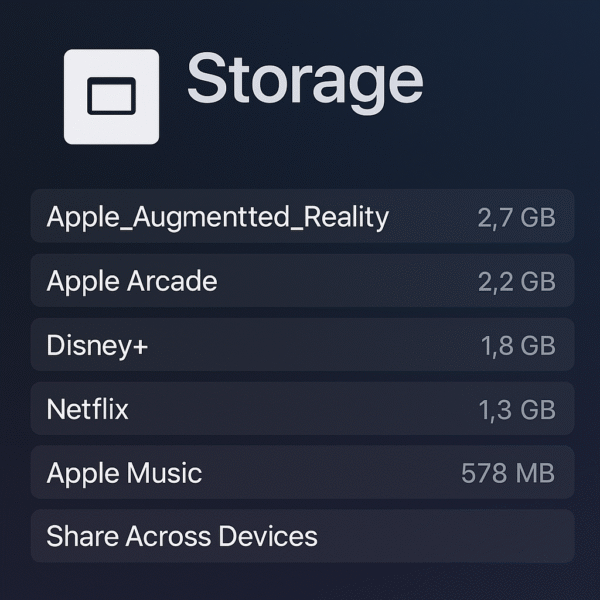
One of the most overlooked but valuable Apple TV 4K tips in tvOS 17 involves managing storage and boosting performance. Apple has introduced smarter tools that keep your system running efficiently—especially as games, apps, and streaming services grow more demanding.
New Optimization Tools:
Offload Unused Apps: Automatically remove rarely used apps while keeping your data intact for easy restoration.
Manually Clear Caches: Free up valuable space to ensure faster navigation and smoother playback.
Optimize Game Load Times: Streamline data usage for quicker startups and less lag during gameplay.
Bonus Tip:
Use your iPhone’s Apple TV Remote interface to organize or delete apps directly from your phone—saving time and making cleanup effortless.
These maintenance-focused Apple TV 4K tips help your device stay fast, organized, and ready for anything you stream or play.
Audio Enhancements: Must-Know Apple TV 4K Tips for Immersive Sound
In tvOS 17, Apple delivers major audio upgrades that make the Apple TV 4K a true powerhouse for cinematic sound. Whether you’re watching movies, gaming, or streaming music, these new features ensure an immersive, personalized experience. Among the most exciting Apple TV 4K tips, optimizing your audio setup brings theater-quality sound to your living room.
Enhanced Audio Features:
AirPods Pro 2 Integration: Enjoy Spatial Audio with dynamic head tracking for a 360° listening experience that adapts as you move.
Dual HomePod Support: Pair two HomePods as stereo speakers for rich, room-filling sound with deep bass and crystal-clear dialogue.
Personalized Audio Profiles: Each user can have a customized sound profile, ensuring volume levels and audio balance adjust automatically.
By syncing your Apple TV 4K with these devices, you unlock premium sound quality and smarter automation—proving that small tweaks can make a massive difference in your entertainment setup.

Quick Tips for Daily Users
Beyond the flashy new features in tvOS 17, Apple has packed the Apple TV 4K with handy shortcuts that save time and make everyday navigation smoother. These small tricks are easy to remember—and once you start using them, you won’t go back.
Essential Shortcuts:
Restart Instantly: Press Volume Down + TV Button on your Siri Remote to quickly restart your Apple TV without diving into menus.
Toggle Frame Rate Matching: Tap Play/Pause 5 times to enable or disable frame rate matching—perfect for smoother playback when switching apps or video formats.
Use iPhone as Keyboard: When typing on Apple TV, your iPhone automatically displays a keyboard input prompt, allowing you to type or paste text effortlessly.
These hidden Apple TV 4K tips streamline your control experience—making your setup faster, smarter, and more enjoyable every day.
Conclusion: Apple TV 4K Tips for the Ultimate Smart Home Experience
With tvOS 17, your Apple TV 4K becomes far more than a streaming box—it evolves into a multifunctional smart home hub. From multitasking and gaming to fitness and automation, every feature is designed to blend convenience with performance. These Apple TV 4K tips unlock the full potential of your device, helping it adapt perfectly to your lifestyle.
In 2025, tvOS 17 stands as Apple’s most powerful smart home entertainment OS yet, delivering seamless integration, voice-driven control, and cinematic experiences—all from the heart of your living room.