

Smart home enthusiasts are no strangers to the convenience and power of Alexa routines. However, in 2025, your TV has evolved beyond a simple entertainment device—it’s now a central hub for voice-controlled automation. With Alexa TV routines, you can seamlessly connect your Fire TV Omni QLED, Samsung QLED, or LG OLED to other smart devices, creating a synchronized and truly intelligent home experience.
In this guide, we’ll explore the best Alexa TV routines, explain how to create and customize them, review compatible devices, and provide troubleshooting tips to ensure everything runs smoothly. Moreover, you’ll discover how to use these routines to make your living room not just smarter—but effortlessly connected.
How Alexa TV Routines Work
Alexa TV routines function as automated workflows that connect your entertainment setup with the rest of your smart home. Through these routines, Alexa can perform multiple actions at once—linking your TV, lighting, sound system, and more into one seamless experience.
These routines can be triggered in several ways, including:
Voice commands: For example, saying “Alexa, movie time” can turn on your TV, dim the lights, and launch Netflix.
Scheduled times: Automate actions to occur at specific hours, such as powering on your TV each morning for news updates.
Device states: Trigger routines when your TV turns on or off, adjusting other devices accordingly.
Smart home triggers: Use motion sensors, lighting conditions, or smart plugs to activate your routine automatically.
As a result, Alexa TV routines turn your entertainment setup into a proactive part of your home automation network—responding intelligently to your habits and preferences.
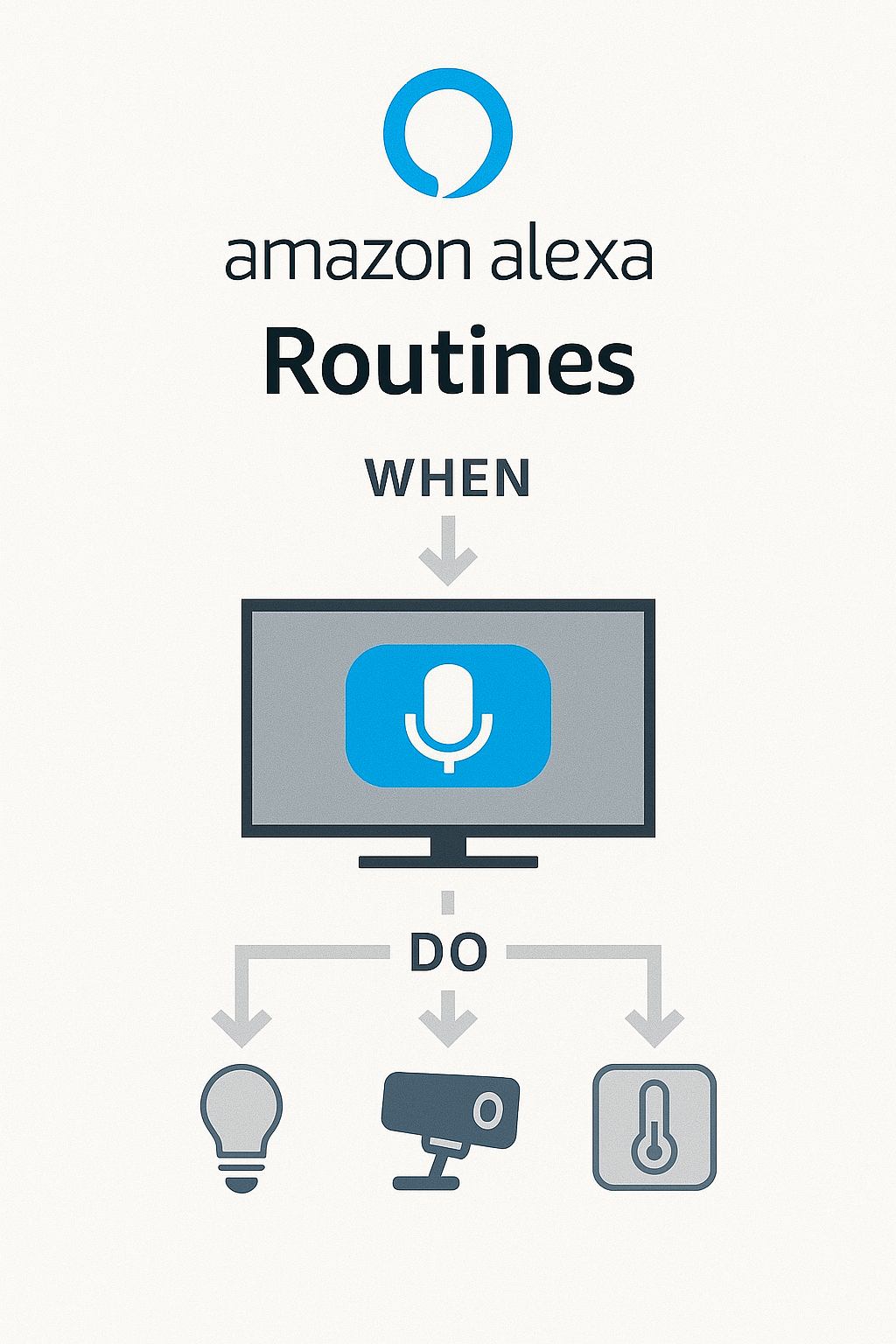
Example Alexa TV Routine: “Movie Night”
One of the most popular Alexa TV routines is the classic “Movie Night” setup—perfect for transforming your living room into a cozy home theater with a single voice command.
Routine Name: “Movie Night”
Trigger: “Alexa, movie night”
Actions:
Dim smart lights to 20% for an ambient glow.
Power on your TV and set the input to Fire TV.
Adjust the thermostat to a comfortable 72°F.
Close smart blinds to block out light and enhance immersion.
Pro Tip: For extra fun, connect a smart plug to your popcorn machine or mini fridge so Alexa can power them on automatically.
With this setup, your Alexa TV routine turns movie time into an effortless, fully automated experience—blending comfort, convenience, and cinematic flair.

Beyond entertainment, Alexa TV routines can enhance productivity, security, and comfort—making your smart home more responsive and personalized. Here are a few powerful examples to inspire your setup.
“Game Time”
Trigger: “Alexa, it’s game time”
Actions:
Turn on the TV and switch to your Xbox input.
Boost brightness and sound settings for an immersive experience.
Activate ambient light strips behind the TV for dynamic lighting.
This routine instantly sets the mood for gaming, ensuring your environment matches your energy.
“News Briefing”
Trigger: “Alexa, morning news”
Actions:
Power on the TV and launch your preferred news app (like CNN or ABC).
Read the weather and traffic updates aloud for your morning routine.
Activate your coffee maker using a smart plug to start brewing automatically.
This Alexa TV routine streamlines your mornings, helping you stay informed and energized before the day begins.
“Security Check”
Trigger: “Alexa, check home”
Actions:
Turn on the TV to display your security camera feed.
Announce door and window status through Alexa speakers.
Enable motion alerts on your Echo Show for real-time monitoring.
With this routine, your Alexa TV setup becomes a security hub, keeping your home safe and your mind at ease—all triggered by a single command.

How to Create Alexa TV Routines Step-by-Step
Setting up Alexa TV routines is simple once your smart TV and Alexa devices are properly linked. By following a few quick steps, you can automate entertainment, lighting, and even security for a smoother, hands-free experience.
Step-by-Step Setup Guide
Open the Alexa App on your smartphone or tablet.
Navigate to More → Routines in the bottom menu.
Tap the “+” icon to create a new routine.
Set your Trigger — choose between a voice command, scheduled time, or device action (like your TV turning on).
Add Actions, such as:
TV power state (on/off)
Volume or input changes
Smart home device control (lights, plugs, thermostats, or blinds)
Important Note
Your TV must support Alexa routines for these actions to work correctly. Fire TV and Samsung SmartThings-enabled TVs offer the most flexibility, though select LG OLEDs with Alexa built-in are also compatible.
With this setup, Alexa TV routines can seamlessly automate your entertainment environment—bridging your TV, lighting, and other smart devices into one unified, voice-controlled ecosystem.

Routine Not Working? Try This:
If your Alexa TV routines aren’t responding as expected, a few simple checks can quickly get everything back on track. Connectivity, permissions, or naming conflicts are often the cause—and each can be resolved with a few adjustments.
Quick Fixes and Best Practices
Ensure the Alexa TV skill is enabled: Double-check in the Alexa app or your TV’s smart settings that the Alexa skill is active and correctly linked.
Confirm all devices are online: Make sure your TV, Alexa speakers, and Wi-Fi network are connected and functioning properly.
Group devices under the same Amazon Household: This ensures Alexa recognizes your TV and smart devices as part of one ecosystem.
Rename routine triggers for uniqueness: Avoid similar routine names or commands that Alexa might confuse (e.g., “movie time” vs “movie night”).
Re-link the Alexa skill from the TV’s settings: If issues persist, unlink and reconnect Alexa in your TV’s settings menu to refresh device permissions.
By following these steps, your Alexa TV routines will perform reliably—ensuring every command triggers the right actions, every time.

Optimizing TV Routines with Device Groups
To make your Alexa TV routines more powerful and responsive, it’s essential to organize your smart devices into groups. This allows Alexa to recognize your living spaces and control multiple devices together with a single command.
How to Set It Up
Open the Alexa App and go to Devices → Groups.
Tap “Create Group” and name it (e.g., Living Room).
Add compatible devices, such as:
Fire TV
Echo speakers (for surround or enhanced TV sound)
Smart lights, plugs, or motion sensors
Example Setup
Create a group called “Living Room” that includes your Fire TV, Echo speakers, and Hue smart lights.
Then simply say:
“Alexa, start movie night in the living room.”
Alexa will trigger your entire routine—turning on the TV, dimming the lights, adjusting the sound, and activating any other linked devices.
By using groups, Alexa TV routines become smarter and more efficient, creating synchronized, room-specific scenes that feel natural and immersive.

Creative Routines for Everyday Life
Beyond entertainment, Alexa TV routines can simplify daily tasks, support family habits, and even enhance productivity. Here are a few practical examples that showcase how flexible these routines can be when paired with your smart TV and other connected devices.
“Kids’ TV Time”
Trigger: “Alexa, start kids’ TV time”
Actions:
Turn on the TV and open YouTube Kids.
Switch on smart lights for soft illumination.
Set a reminder for 1 hour to manage screen time.
This routine creates a balanced entertainment schedule that keeps kids engaged while encouraging healthy viewing limits.
“Goodnight TV”
Trigger: “Alexa, goodnight TV”
Actions:
Turn off the TV to end evening viewing.
Play white noise or calming sounds on your Echo speaker.
Dim bedroom lights for a relaxing wind-down atmosphere.
Perfect for bedtime, this Alexa TV routine promotes better sleep hygiene while automating your nighttime environment.
“Work From Home Setup”
Trigger: “Alexa, start work mode”
Actions:
Turn on the TV and connect to the Zoom app or external camera.
Enable camera and microphone automatically.
Adjust smart lighting for optimal productivity and focus.
With this setup, your Alexa TV routines transform your space instantly—whether you’re preparing for a virtual meeting, ending the day, or creating structure for family time.
Conclusion: Elevate Your Smart Home with Alexa TV Routines
Alexa TV routines are transforming how we interact with our homes—making everyday living simpler, faster, and more intuitive. With just a phrase, you can control your entertainment, lighting, temperature, and smart devices in perfect harmony. As TVs become more intelligent, their integration into home automation continues to grow, bringing unmatched efficiency, comfort, and convenience.
Explore the power of Alexa TV routines on advanced smart TVs like the Fire TV Omni QLED, Samsung QN90C, or LG OLED C3. Each model offers seamless Alexa compatibility, giving you hands-free control and smarter automation.
In short, with the right setup, Alexa TV routines can elevate your smart home experience—turning everyday commands into effortless living.