


Description
Facebook Portal+ Smart Video Display with Alexa – Ultimate Smart Home Communication Hub | Facebook Portal+ with Alexa Voice Control Review – Smart Home Maven
Description
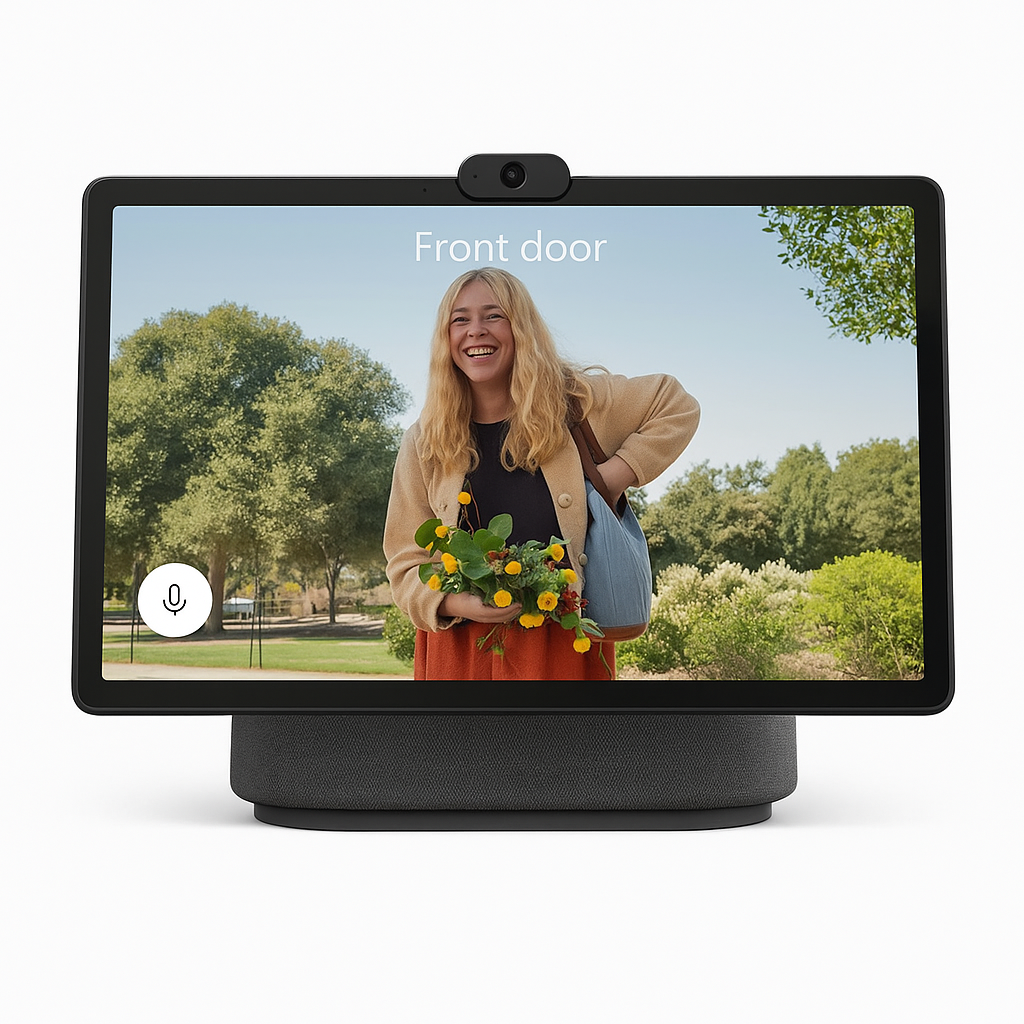
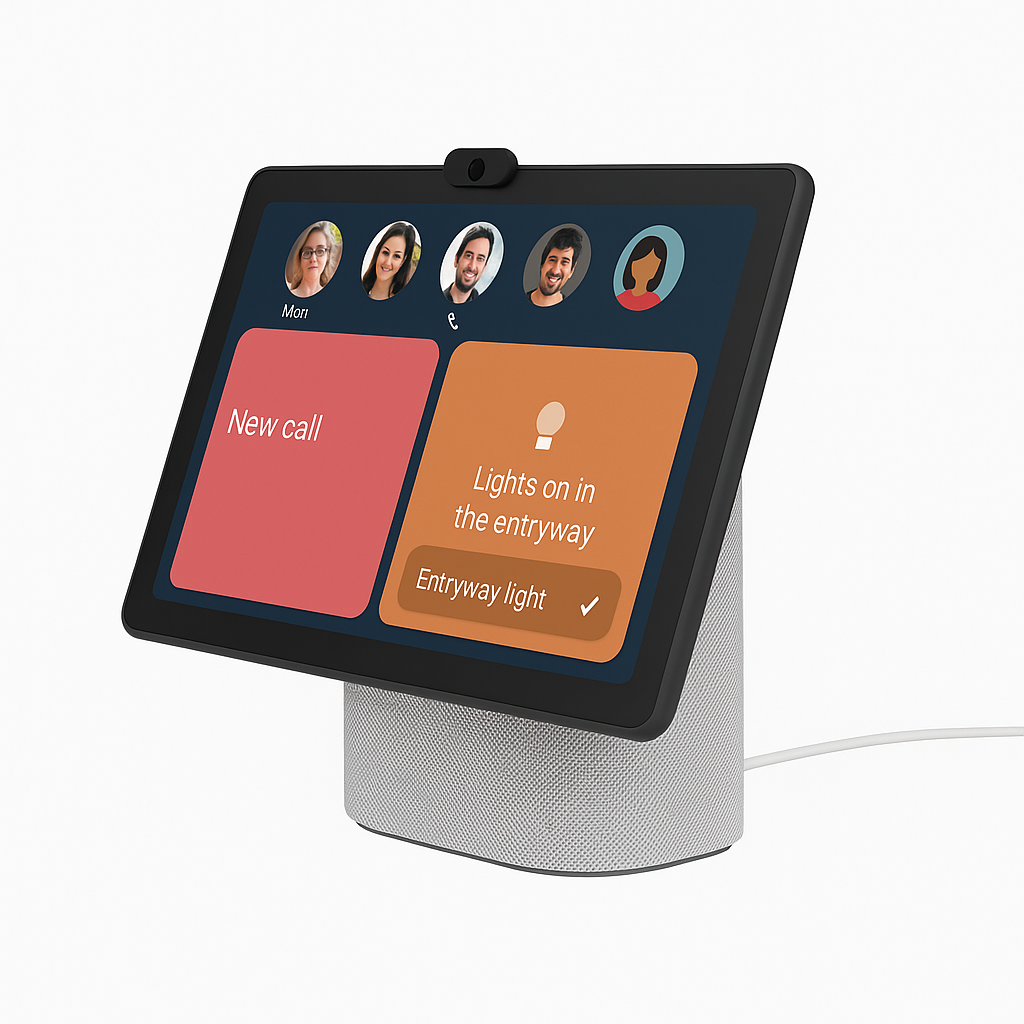
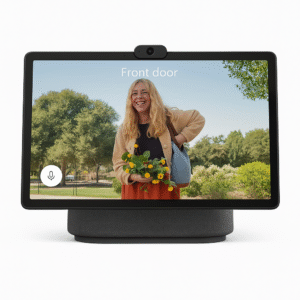
In this Facebook Portal+ with Alexa voice control review, you’ll discover that the Facebook Portal+ is more than just a smart display—it’s your home’s personal command center for video calls, smart home control, and entertainment. With a large 15.6″ rotating HD screen and an AI-powered Smart Camera that follows your movement, the Portal+ ensures you stay perfectly framed during every call.
Alexa integration means you can control your lights, locks, music, and more—hands-free. Whether it’s keeping in touch with family via Messenger or WhatsApp, attending meetings with Zoom, or streaming music and photos, the Portal+ is a stunning blend of productivity, fun, and smart home convenience.
Designed for privacy and security, it features a built-in camera cover and microphone disable switch, giving you full control over your environment.
Key Features
-
To begin with, the 15.6” HD display offers immersive video calls and content viewing in stunning high resolution.
-
In addition, the AI-powered Smart Camera automatically tracks and zooms, keeping you perfectly framed at all times.
-
Moreover, with Alexa built-in, you can control smart home devices, play music, check the weather, and more using just your voice.
-
For maximum flexibility, it supports multi-platform calling via Messenger, WhatsApp, Zoom, Microsoft Teams, and more—something often highlighted in any Facebook Portal+ with Alexa voice control review.
-
Equally important, privacy is prioritized with a camera cover and mic disable switch, ensuring peace of mind.
-
On top of that, Photo Frame Mode transforms the display into a digital frame for your Facebook or Instagram photos.
-
Furthermore, its high-fidelity audio delivers crisp, rich sound for calls, music, and videos.
-
Finally, the rotating screen adapts between portrait and landscape modes, giving you versatility for both personal and professional use.
Specifications
-
Display: The 15.6” HD touchscreen (1920 x 1080) delivers crisp visuals for video calls, streaming, and smart home control—frequently praised in any Facebook Portal+ with Alexa voice control review.
-
Camera: Equipped with a 12MP Smart Camera featuring a wide 131° field of view, ensuring clear video calls with auto-framing.
-
Audio: Built with a 4-mic array and full-range speakers, it captures voices accurately and delivers rich sound.
-
Processor: Powered by the Qualcomm Snapdragon 805, ensuring smooth performance and responsiveness.
-
Connectivity: Supports both Wi-Fi and Bluetooth, offering flexible connectivity options.
-
Operating System: Runs on an Android-based Portal OS, optimized for smart display performance.
-
Dimensions: Measures 14.03” x 5.25” x 10.75”, making it a sizeable yet stylish addition to any room.
-
Power Supply: Comes with a reliable AC adapter, included for immediate setup.
“Works With” Compatibility
-
First and foremost, it integrates with Amazon Alexa, providing full voice control for smart home routines and apps.
-
In addition, you can stay connected through Messenger for video chats with friends and family.
-
Moreover, WhatsApp support allows convenient calling across devices worldwide.
-
For professional use, it connects with Zoom and Microsoft Teams, making video conferencing simple and effective.
-
On top of that, music lovers can stream from Spotify, Pandora, and iHeartRadio directly on the device.
-
Finally, it works with SmartThings via Alexa routines, expanding its role in home automation—something often highlighted in any Facebook Portal+ with Alexa voice control review.
Setup + Maintenance Guide
Setup Instructions:
-
First, plug in the Portal+ and follow the on-screen setup prompts.
-
Next, connect to Wi-Fi and sign in using your Facebook or WhatsApp account.
-
Then, enable Alexa by linking your Amazon account for hands-free convenience.
-
Finally, customize your contacts, calendar, and favorite apps—features often highlighted in any Facebook Portal+ with Alexa voice control review.
Maintenance Tips:
-
To begin with, keep the software updated by navigating to Settings > About > Updates.
-
In addition, clean the screen gently with a microfiber cloth, avoiding any harsh chemicals.
-
Moreover, close the built-in camera cover when not in use to maintain privacy.
-
Lastly, restart the device occasionally to clear the cache and enhance overall performance.






%20–%20Best%20Budget%20QLED%20Mini-LED%20TV%20under%20$1000%20with%20Dolby%20Vision%20&%20144Hz%20Gaming&url=https://smarthomemaven.com/product/tcl-6-series-roku-tv-2025-best-budget-qled-mini-led-tv-under-1000-with-dolby-vision-144hz-gaming/&media=https://smarthomemaven.com/wp-content/uploads/2020/12/TCL-6-Series-Roku-TV-front-view-showcasing-HDR-picture-on-white-background-1024x683.png)
Reviews
There are no reviews yet.