
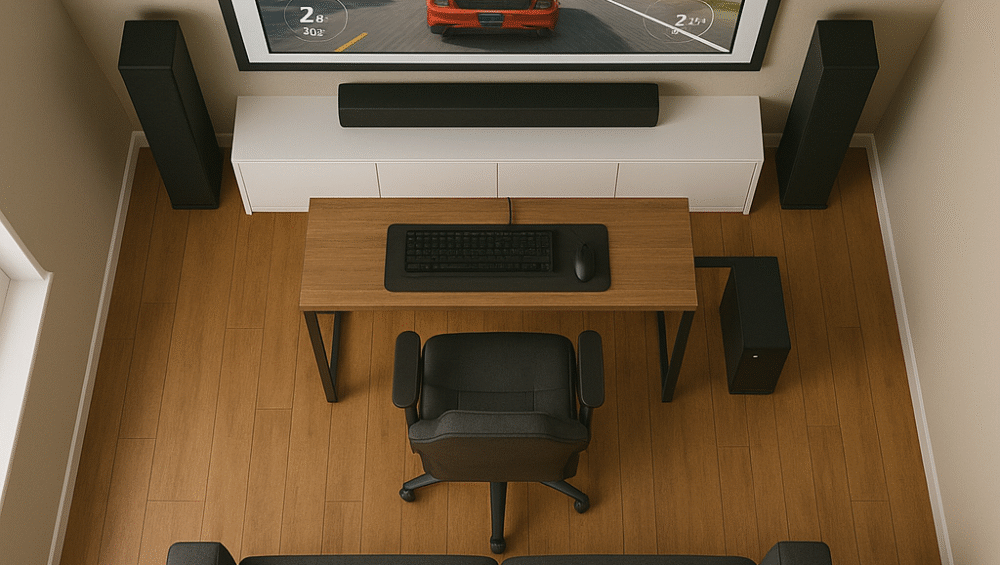
This article explores whether buying a projector for gaming is a smart choice for modern players. By comparing today’s top projectors to traditional TVs, it examines key advantages such as larger screen size, lower input lag, and better budget value. Moreover, it highlights how recent models like the Optoma HD146X deliver impressive brightness, responsive performance, and immersive visuals—making buying a projector for gaming more appealing than ever for those seeking a cinematic gameplay experience.
Gaming on a Projector vs a TV – What You Need to Know
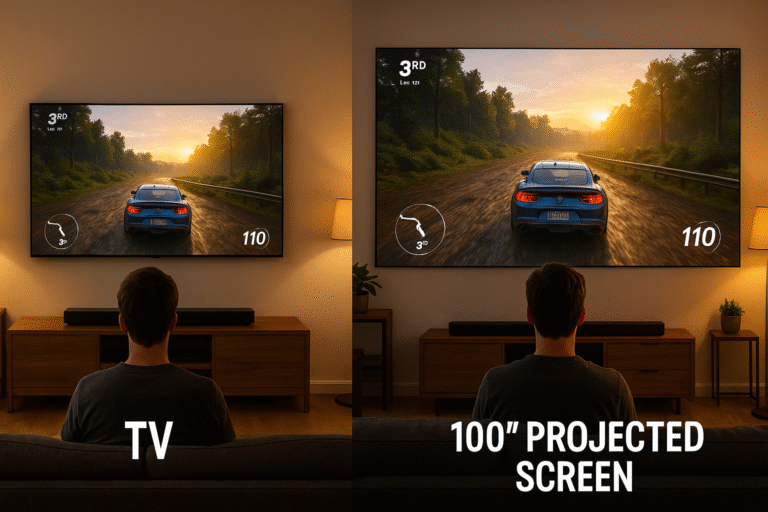
When planning the best gaming setup in 2025, many players instinctively look to 4K smart TVs. However, modern projectors have come a long way, offering excellent performance at a lower cost. For those buying a projector for gaming, models like the Optoma HD146X deliver low input lag, high brightness, and 1080p resolution — all for under $600, making them a powerful and affordable option.
Key Benefits When Buying a Projector for Gaming:
Massive Screen Size: Enjoy a 100-inch+ display without spending a fortune.
Portable Design: Projectors like the Optoma HD146X are lightweight and easy to move, perfect for flexible setups.
Budget-Friendly Entertainment: Get a cinematic gaming experience for the price of a mid-range TV, ideal for gamers who value big-screen immersion.
Input Lag and Refresh Rates: Do Projectors Keep Up?
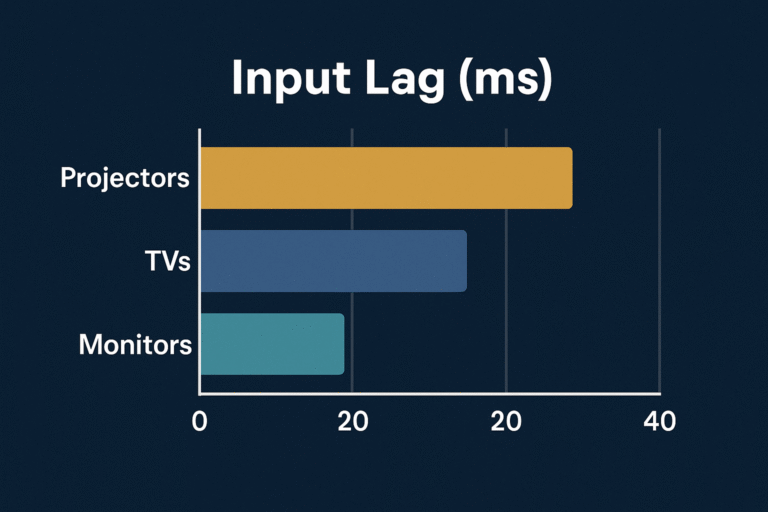
When buying a projector for gaming, low input lag becomes one of the most important performance factors—especially for shooters, racing titles, and fast-paced action games. Thankfully, modern gaming projectors are designed with responsiveness in mind, offering smooth visuals without delay.
Top Low-Latency Projectors for Gaming:
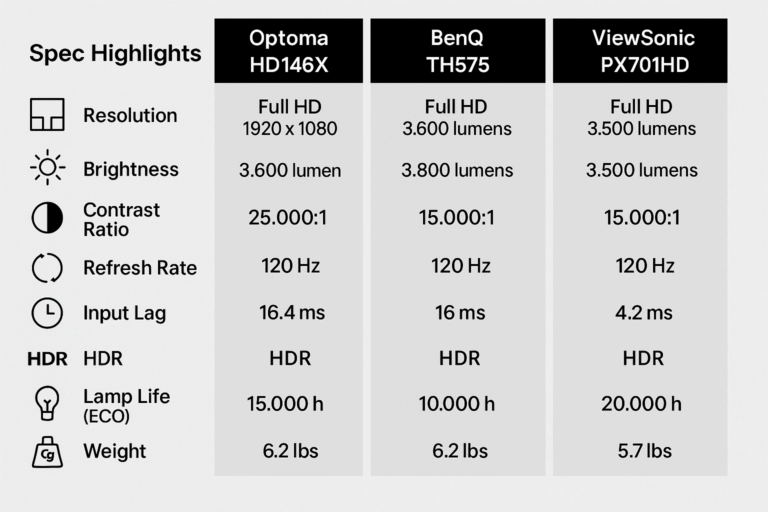
Optoma HD146X: Delivers around 16ms input lag with its Enhanced Gaming Mode, ensuring precise, real-time response.
BenQ TH575: Offers similar low latency while maintaining vibrant color accuracy and brightness for immersive gameplay.
ViewSonic PX701HD: Optimized for response times under 20ms, providing a balanced mix of speed and image quality.
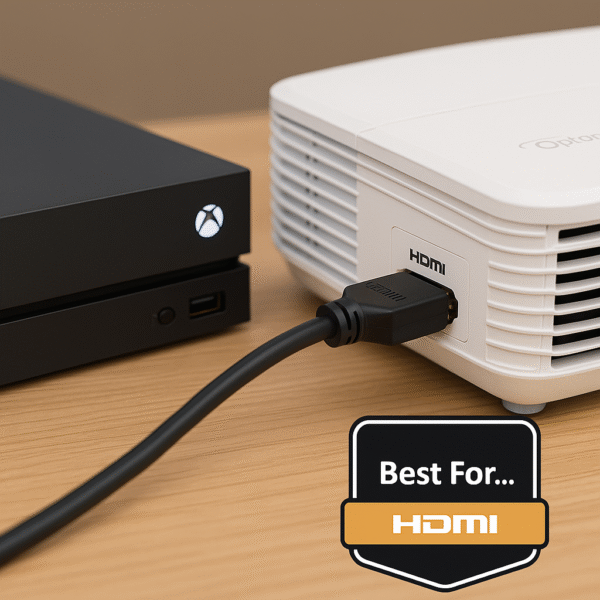
💡 Pro Tip: When buying a projector for gaming, always choose models that include a dedicated Game Mode and HDMI 2.0 or higher. This ensures lower input lag, smoother frame rates, and full compatibility with modern consoles like the PS5 and Xbox Series X.
Are Projectors a Smart Choice for Console Gaming?
Whether you’re gaming on a PS5, Xbox Series X, or Nintendo Switch, buying a projector for gaming can completely transform your experience. Compared to TVs, projectors create a more cinematic and flexible setup that enhances both visuals and sound.
What Makes Projectors Great for Gaming:
Immersive Worlds: Deliver massive, theater-like visuals perfect for open-world or story-driven games.
Split-Screen Perfection: Scale easily for multiplayer sessions, giving each player plenty of screen space.
Enhanced Audio Integration: Pair seamlessly with HDMI ARC soundbars or external speakers for rich, immersive sound.
Popular Console-Friendly Choices When Buying a Projector for Gaming:
Optoma HD146X: Delivers 1080p resolution and ultra-low input lag, ideal for competitive and fast-paced games.
BenQ TH585: Known for its high brightness, making it perfect for gaming in rooms with some ambient light.
Epson Home Cinema 880: Offers excellent color accuracy and contrast, ensuring vivid, lifelike visuals across all console platforms.
When Projectors Aren’t Ideal for Gaming
Before buying a projector for gaming, it’s important to understand a few potential drawbacks to make an informed choice. While projectors offer immersive visuals, they do come with setup considerations that differ from TVs.
Things to Keep in Mind When Buying a Projector for Gaming:
Ambient Lighting: Projectors perform best in dark or dimly lit rooms for optimal brightness and contrast.
Audio Setup Required: Most models lack powerful built-in speakers, so pairing with a soundbar or external audio system is essential.
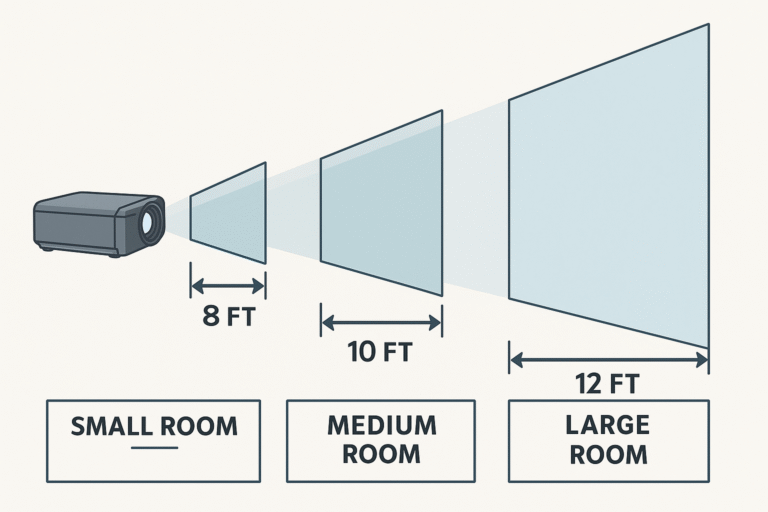
Throw Distance: Smaller rooms may need short-throw or ultra-short-throw projectors to achieve large screens without losing image quality.
Best Gaming Projectors Under $600 in 2025
| Projector Model | Resolution | Input Lag | Brightness | Price (est) |
|---|---|---|---|---|
| Optoma HD146X | 1080p | ~16 ms | 3,600 lumens | $549 |
| BenQ TH575 | 1080p | ~16 ms | 3,800 lumens | $579 |
| ViewSonic PX701HD | 1080p | ~20 ms | 3,500 lumens | $499 |
Audio: Don’t Forget the Sound
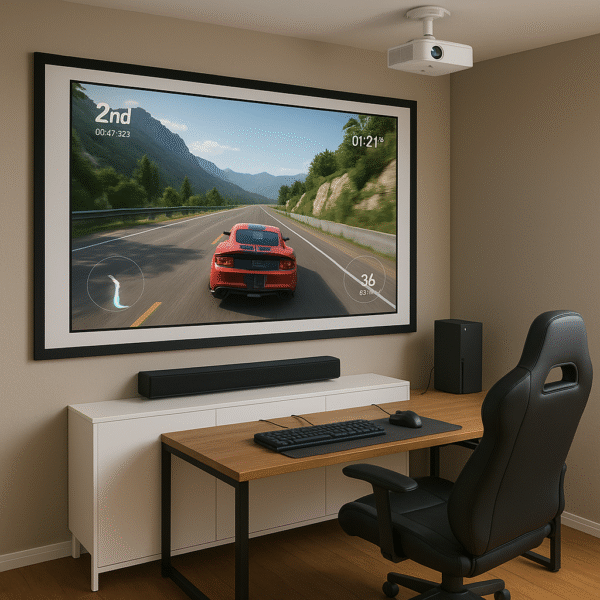
Since most projectors don’t include powerful built-in speakers, pairing your setup with a dedicated soundbar or external speaker system is essential for full immersion. When buying a projector for gaming, choosing the right audio companion can make all the difference in clarity and atmosphere.
Recommended Soundbars for Gaming Projector Setups:
Vizio M-Series (M512a-H6): Offers Dolby Atmos support under $400, providing rich, cinematic sound ideal for gaming.
Sony HT-G700: Pairs perfectly with projectors, delivering virtual 3D surround and strong midrange clarity.
Yamaha SR-C30A: A compact soundbar with HDMI ARC, perfect for small gaming rooms or desk setups.
Projector Accessories Worth Having
To get the most out of buying a projector for gaming, the right accessories can elevate your setup from good to great. By adding these practical upgrades, you’ll improve image quality, save space, and enhance overall immersion.
Recommended Accessories for a Gaming Projector Setup:
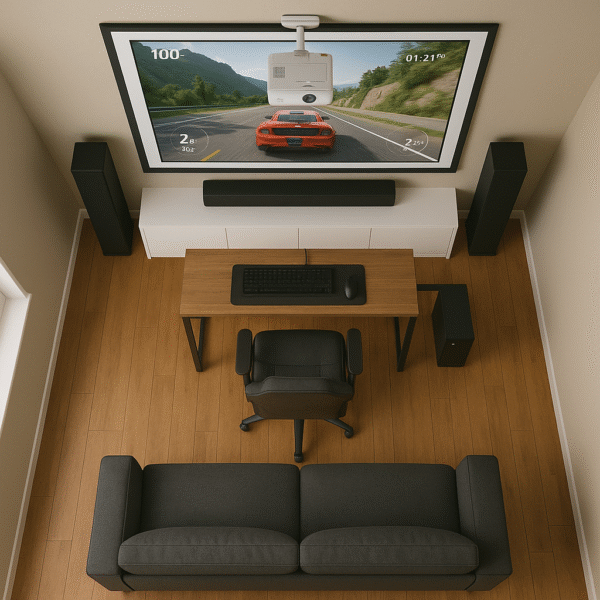
Retractable Screen: Boosts contrast and color accuracy, while keeping your setup clean when not in use.
Ceiling Mount: Maximizes space and ensures ideal alignment in small gaming rooms.
Cable Management Kit: Keeps your gaming area tidy and prevents clutter from HDMI and power cables.
Smart Lighting: Sync your lighting effects with gameplay using Alexa routines for an immersive atmosphere.
Final Verdict: Is a Projector Right for Your Gaming Setup?
If you:
Game mostly at night or in darker rooms
Want the biggest screen for the lowest cost
Don’t mind using an external sound system
…then yes — buying a projector for gaming is absolutely worth it in 2025.
Models like the Optoma HD146X, BenQ TH575, and ViewSonic PX701HD deliver excellent image quality, low input lag, and high brightness — all for under $600. For gamers who crave cinema-scale immersion without breaking the bank, these projectors remain the best value picks of 2025.