
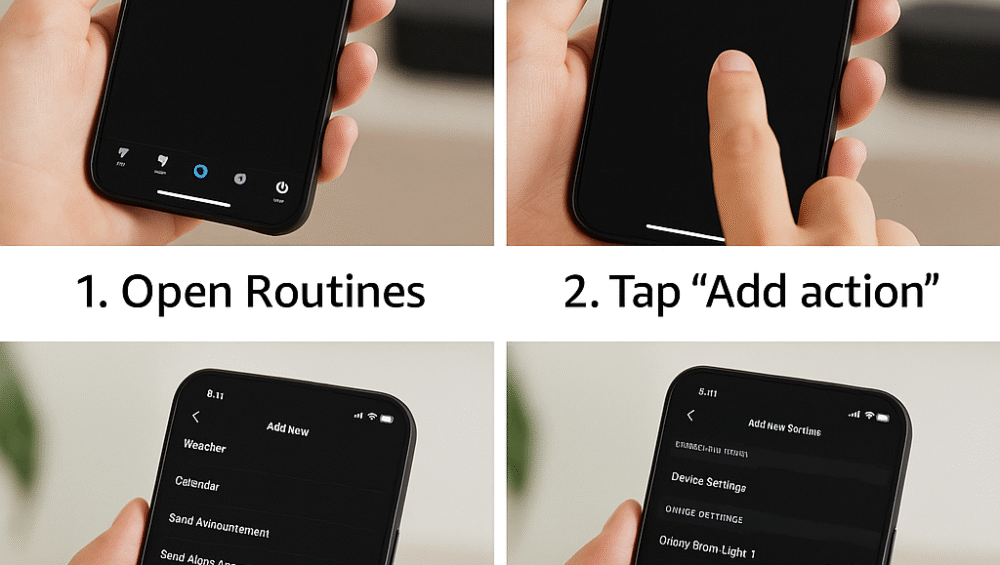
The Sonos Beam Gen 2 isn’t just a smart soundbar — it’s also a powerful tool for creating seamless Alexa smart home routines. Moreover, when you integrate it with smart lights, plugs, TVs, or even morning alarms, your living room transforms into a dynamic, voice-automated hub.
Therefore, in this alexa voice routine setup guide, you’ll discover how to build routines using your Sonos Beam, starting with the basics and moving into advanced home theater and smart audio automation.
Alexa Voice Routine Setup Guide – What Is a Routine?
An Alexa Routine is essentially a series of actions triggered by a voice command, schedule, or smart home event. When configured through the alexa voice routine setup guide, routines using the Sonos Beam can include:
Playing music or radio for instant entertainment.
Adjusting volume levels to match the time of day.
Triggering lights, TVs, or pre-set scenes for a fully automated experience.
Therefore, by combining your Sonos Beam with Alexa routines, you can create personalized automations that transform your home into a hands-free entertainment and smart living hub.
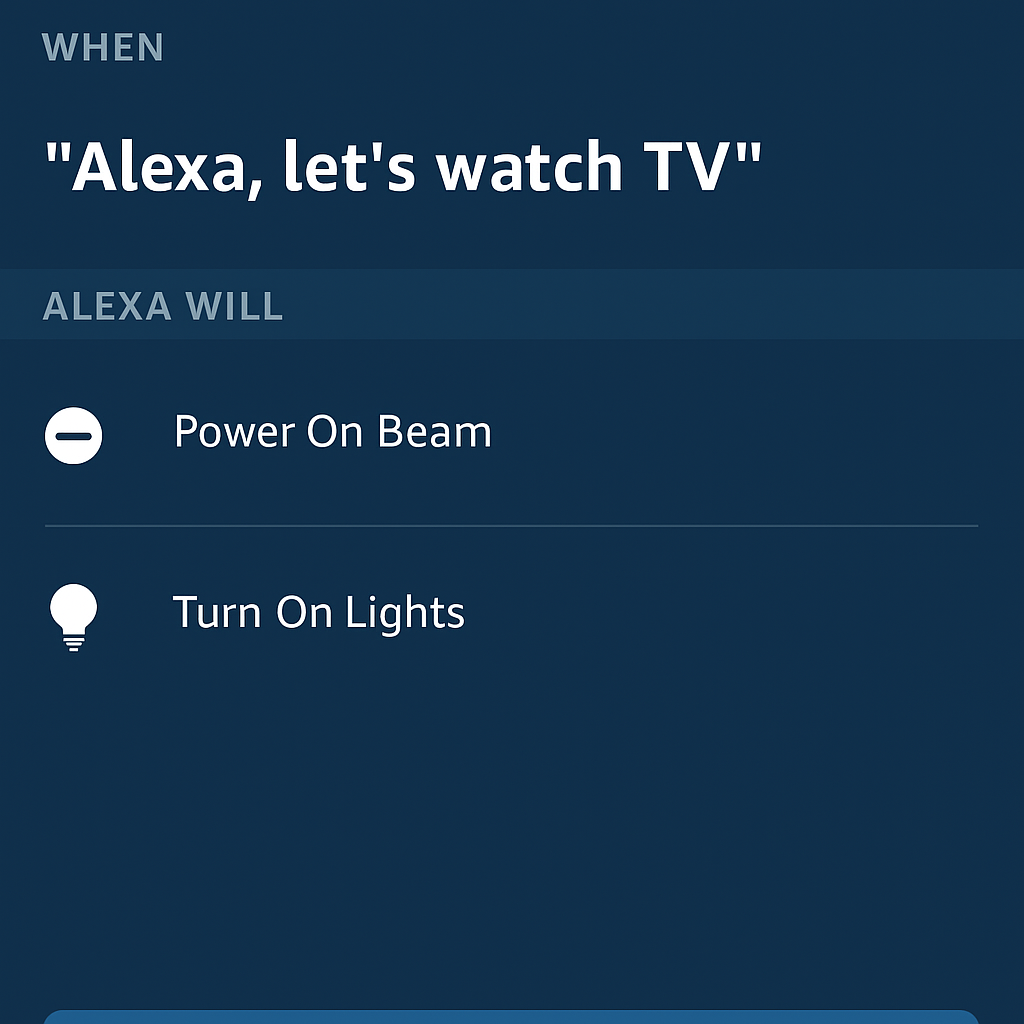
Step-by-Step Instructions
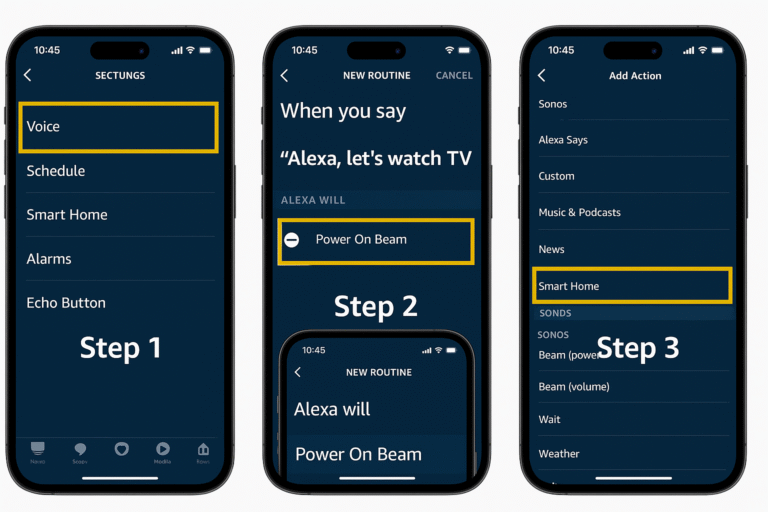
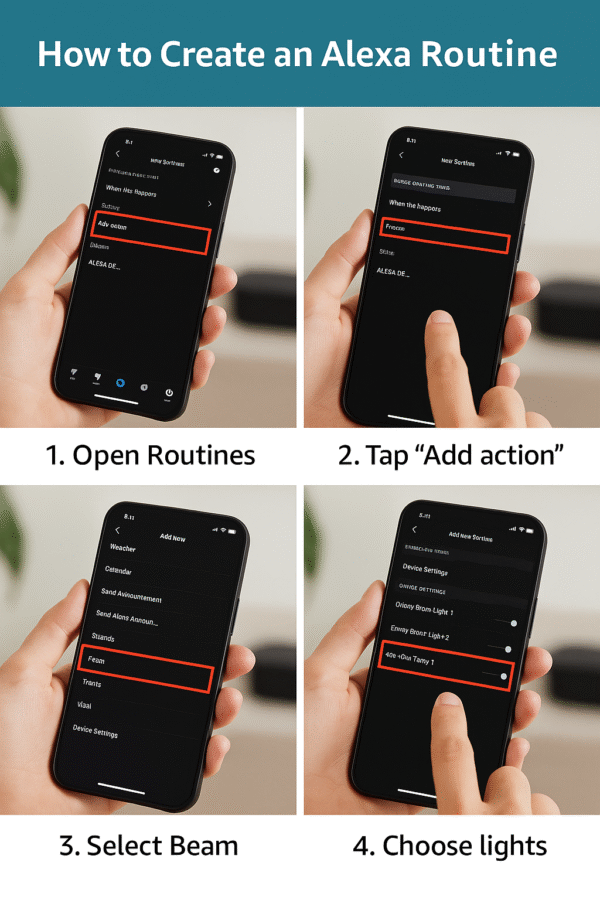
To configure your Sonos Beam Gen 2 with Alexa, follow this alexa voice routine setup guide for a smooth experience:
Open the Alexa App
Tap “More” > “Routines” > “+” to create a new routine.
Choose a Trigger
Voice command: Example – “Alexa, good morning.”
Time-based schedule: Example – every day at 7 AM.
Device trigger: Example – motion sensor or door contact.
Add Actions
“Play music on Sonos Beam.”
“Set volume to 40 on Sonos Beam.”
“Turn on Living Room Lights.”
Choose the Speaker
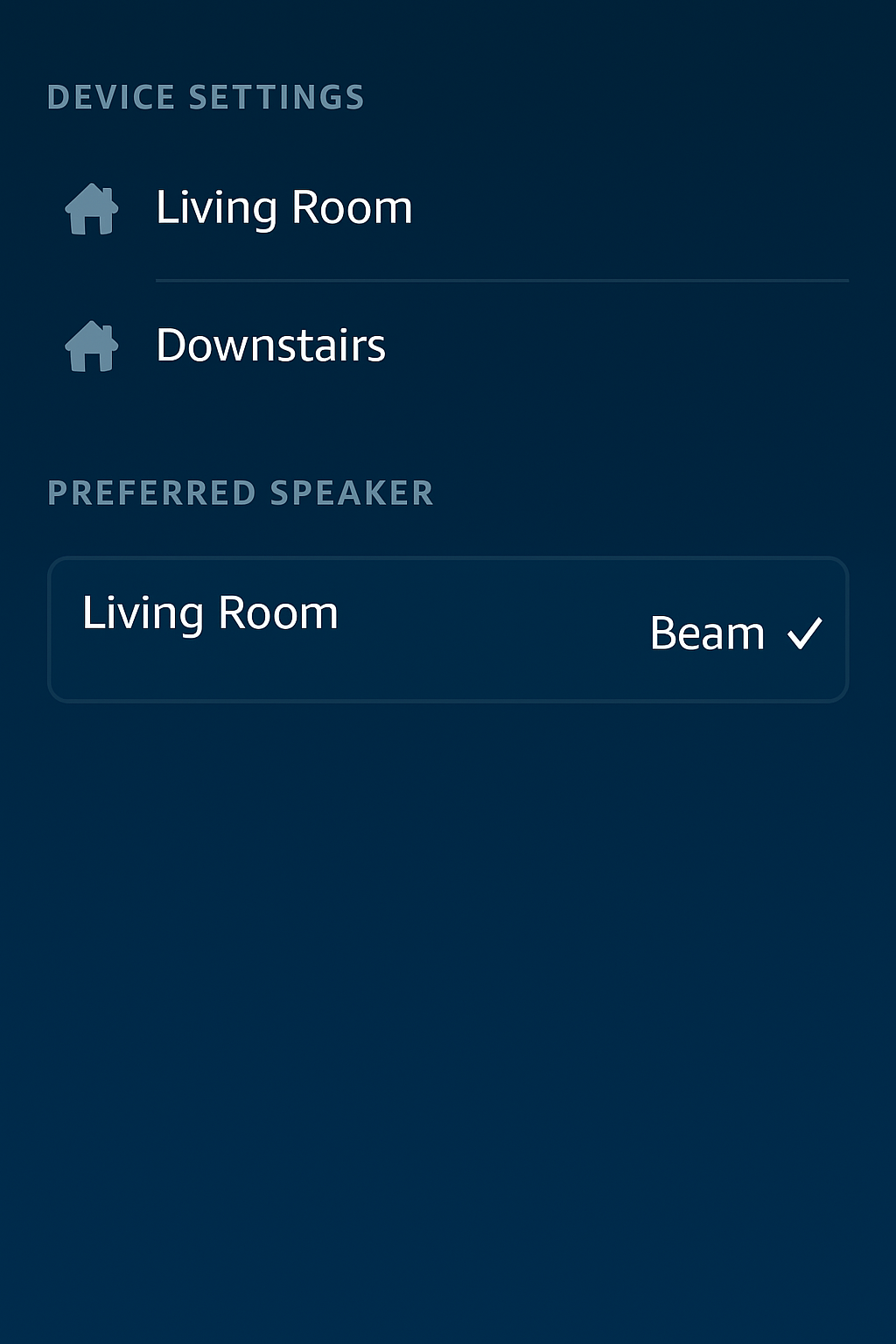
Select the Sonos Beam as your preferred audio output.
Save and Test
Say your chosen routine command and confirm that each action executes properly.
Alexa Voice Routine Setup Guide – Example Routines
To make the most of your Sonos Beam Gen 2, this alexa voice routine setup guide includes practical examples that bring entertainment and smart living together.
📽 Movie Night Routine
Trigger: “Alexa, movie night.”
Actions:
Turn off ceiling lights for a theater-like setting.
Set Sonos Beam volume to 50 for immersive sound.
Play a specific movie playlist or ambient background audio.
☀️ Morning Wake Routine
Trigger: Daily at 7:00 AM.
Actions:
Start NPR radio or Spotify playlist on the Beam.
Turn on smart bulbs gradually to simulate sunrise.
Read out weather and calendar for the day ahead.
🎉 Party Mode Routine
Trigger: “Alexa, let’s party.”
Actions:
Play an upbeat playlist through the Beam.
Switch smart bulbs to color mode, creating a festive atmosphere.
Pro Tips for Beam
To maximize your Sonos Beam Gen 2 within Alexa, follow these best practices from this alexa voice routine setup guide:
Name your Beam clearly in the Alexa app, such as “Living Room Beam”, for easy voice targeting.
Group the Beam with other smart devices to enable synchronized routine actions.
Set the Beam as a preferred speaker in Alexa device settings to streamline playback.
Use the Beam in multi-room audio groups for whole-home routines that combine music and automation.
Therefore, by applying these tips, your Sonos Beam with Alexa routines will operate more smoothly, ensuring a seamless smart home experience.
Ultimately, setting up Alexa routines with your Sonos Beam Gen 2 introduces a whole new level of personalization and automation to your smart home. Moreover, from setting the mood for movie nights to starting your day with music, news, and lights, voice-controlled routines push the Beam far beyond basic audio playback — transforming it into a true smart home hub.
Example Use Case: Sonos + Alexa smart home morning routine.
Advanced Setup: How to trigger the Beam with motion sensors via Alexa.
Therefore, by following this alexa voice routine setup guide, you can create a smarter, more connected home where your Sonos Beam works as the centerpiece of daily life automation.