
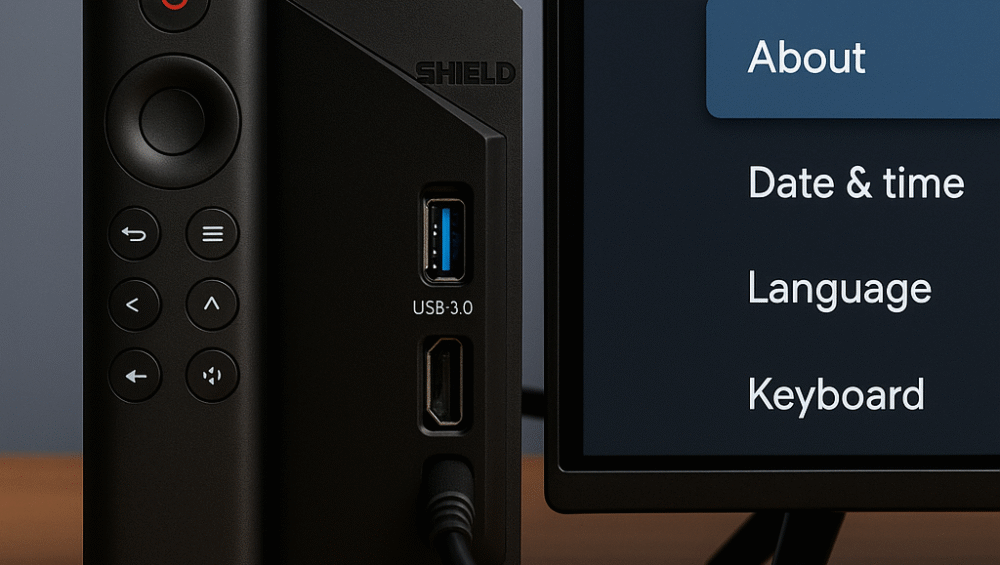
In this post, we evaluate the best Android TV streamer picks of 2025, with a particular focus on the NVIDIA Shield TV Pro. Notably, it continues to dominate the market with exceptional performance in streaming, AI upscaling, smart home integration, and gaming versatility. Furthermore, other strong contenders in this year’s lineup include the Chromecast with Google TV and the Xiaomi TV Box S (2nd Gen), both offering impressive value and reliability for everyday entertainment.
Introduction: Why Android TV Boxes Still Matter
Android TV boxes have rapidly evolved into versatile smart home entertainment hubs. As a result, they now offer far more than just streaming. Whether you’re running Plex, streaming your favorite shows in Dolby Vision, or using Google Assistant to control your smart lights, the right choice among today’s Android TV streamer picks can truly transform your living room experience.

Key Features of the NVIDIA Shield TV Pro – Leading Android TV Streamer Pick:
Processor: Powered by the NVIDIA Tegra X1+, delivering unmatched speed and responsiveness.
AI Upscaling: Enhances 1080p to 4K content with impressive sharpness and detail clarity.
Dolby Vision + Dolby Atmos Support: Provides a truly cinematic viewing and audio experience.
Smart Home Hub: Seamlessly integrates with Alexa and Google Assistant for full smart home control.
Storage: Includes 16GB of internal memory and dual USB 3.0 ports for external storage or accessories.

Other Top Android TV Streamer Picks
Chromecast with Google TV (4K Model)
Ideal for casual streamers who want simplicity and reliability.
Features Google Assistant built-in for quick voice control.
Affordable and compact, though it offers limited local storage for apps and media.
Xiaomi TV Box S (2nd Gen)
Runs on Android TV 12, ensuring a modern and smooth interface.
Supports Dolby Audio and HDR10+ for enhanced visual and sound quality.
A budget-friendly choice with solid app compatibility and smart home integration.

Performance Highlights of the NVIDIA Shield TV Pro – Premium Streamer:
AI Upscaling: Utilizes machine learning to intelligently enhance HD content to near-4K resolution, adding clarity and sharpness.
Smart Home Integration: Allows you to control Hue lights, thermostats, and other devices directly through Google Assistant or Alexa.
Transcoding for Plex: Recognized as the best Android TV box for Plex Media Server, offering smooth playback and fast media indexing.
Gaming: Supports GeForce NOW, Steam Link, and native Android games, making it a versatile hub for both streaming and gaming.

Setup & Optimization Tips for Your Android TV Streamer
Enable Developer Options: Unlock advanced settings to boost UI responsiveness and reduce input lag.
Install Essential Apps: Add Kodi, Plex, and AIDA64 for expanded media management and system monitoring.
Pair Bluetooth Devices: Connect soundbars, controllers, or headphones for a personalized entertainment experience.
Integrate Voice Assistants: Easily link Alexa or Google Assistant through system settings for seamless smart home control.

Dolby Atmos + Vision on Android TV
Use HDMI eARC-Enabled AV Receivers: Connect your Android TV box to an HDMI eARC-compatible receiver to ensure lossless Dolby Atmos and DTS:X audio passthrough.
Choose Compatible Apps: Stream from platforms that support Dolby Atmos, including Netflix, Prime Video, and Apple TV for premium surround sound.
Use High-Speed HDMI Cables: Always ensure your HDMI cable supports 18Gbps bandwidth to handle 4K HDR and Dolby Vision playback without signal degradation.

Bonus Uses for Android TV Boxes in 2025
Digital Picture Frame: Turn your TV into a smart photo display by linking Google Photos for rotating memories in 4K resolution.
Smart Display Mode: Add custom widgets for weather, calendar, and media controls, transforming your Android TV into a central smart home hub.
Remote File Access: Use your USB drive as a shared media server, allowing remote access to files across your devices.
Home Assistant Dashboard: Run a Home Assistant interface directly on your Android TV to monitor and control smart home devices from the big screen.
