
With Alexa now built into many of the latest TVs, including models from Amazon, LG, and Samsung, your television can easily become a powerful smart home control center. By setting up Alexa routines for TVs, you can combine automation, entertainment, and convenience into a single, seamless experience.
In this guide, we’ll walk you through how to create Alexa routines tailored for your living room, showing how simple voice commands can trigger multiple actions at once. Moreover, you’ll learn how to connect lighting, sound, and other smart devices to your TV setup—making your home more intelligent, responsive, and enjoyable than ever before.
What Are Alexa Routines for TVs?
Alexa routines for TVs make it easy to automate multiple actions with a single command, bringing simplicity and intelligence to your daily entertainment. Instead of manually controlling each device, you can set up Alexa to perform several tasks at once—saving time and effort.
For example:
Say “Alexa, movie time” to dim the lights, turn on the TV, set the volume, and launch Netflix.
Say “Alexa, good morning” to turn on your TV to the news, raise the blinds, and start your coffee maker.
How Alexa Routines Are Triggered
These convenient Alexa routines for TVs can be activated in several ways:
Voice command: Just say your chosen phrase to trigger the routine instantly.
Schedule: Automate daily habits, such as starting your TV and lights at 7 PM.
Smart device triggers: Use motion sensors, smart plugs, or other devices to launch routines automatically.
By using Alexa routines for TVs, you transform your living room into a hands-free automation hub, making everyday life smoother and more connected.
Best Alexa Routines for TVs to Simplify Your Evenings
Creating Alexa routines for TVs allows you to customize your entertainment and home atmosphere effortlessly. Whether you’re settling in for a movie, gaming session, or bedtime, these routines combine convenience and control—all with a single voice command.
1. Movie Night Routine
Transform your living room into a cozy theater experience:
Turn on the TV
Launch the Fire TV app
Dim smart lights (Philips Hue or TP-Link Kasa)
Set the thermostat to 72°F
2. Game Mode Routine
Immerse yourself in gameplay with perfect lighting and sound:
Turn on your gaming console
Enable Game Mode on the TV
Activate surround sound for an immersive experience
Set the light strip to blue for a focused ambiance
3. Bedtime Routine
End your night with a calm, automated wind-down:
Turn off the TV
Power off all connected devices
Dim lights to 20% brightness
Lock smart locks for peace of mind
By combining these Alexa routines for TVs with other smart devices, you can create personalized, hands-free scenes that make your home more comfortable, secure, and connected—day or night.

Compatible TVs and Devices
For the smoothest automation experience, choosing TVs and accessories that fully support Alexa routines for TVs is essential. The right combination of devices ensures effortless synchronization between entertainment and smart home control.
Top TVs with Routine Compatibility
Amazon Fire TV Omni QLED: Native Alexa integration with full routine access and far-field voice control.
LG OLED C3 (webOS): Alexa built-in for direct voice activation and smart routine support.
Samsung QLED: Alexa-compatible through SmartThings integration and the Alexa skill for expanded automation.
Compatible Smart Accessories
To make the most of your Alexa routines for TVs, pair your setup with these supported devices:
Smart lights: Philips Hue, Govee, TP-Link Kasa — perfect for scene-based lighting.
Smart plugs: TP-Link, Wyze — power on or off devices automatically.
Smart thermostats: ecobee, Nest — manage temperature effortlessly with voice commands.
Soundbars with Alexa: Sonos, Samsung HW-Q700C — control volume, playback, and more hands-free.
With these combinations, Alexa routines for TVs turn your entertainment center into a smart home command hub, seamlessly blending comfort, automation, and voice control.

How to Set Up an Alexa Routine for TV
Setting up Alexa routines for TVs is simple and takes just a few minutes. Once created, you’ll be able to control multiple devices and actions with a single voice command—making your living room experience completely hands-free.
Step-by-Step Setup
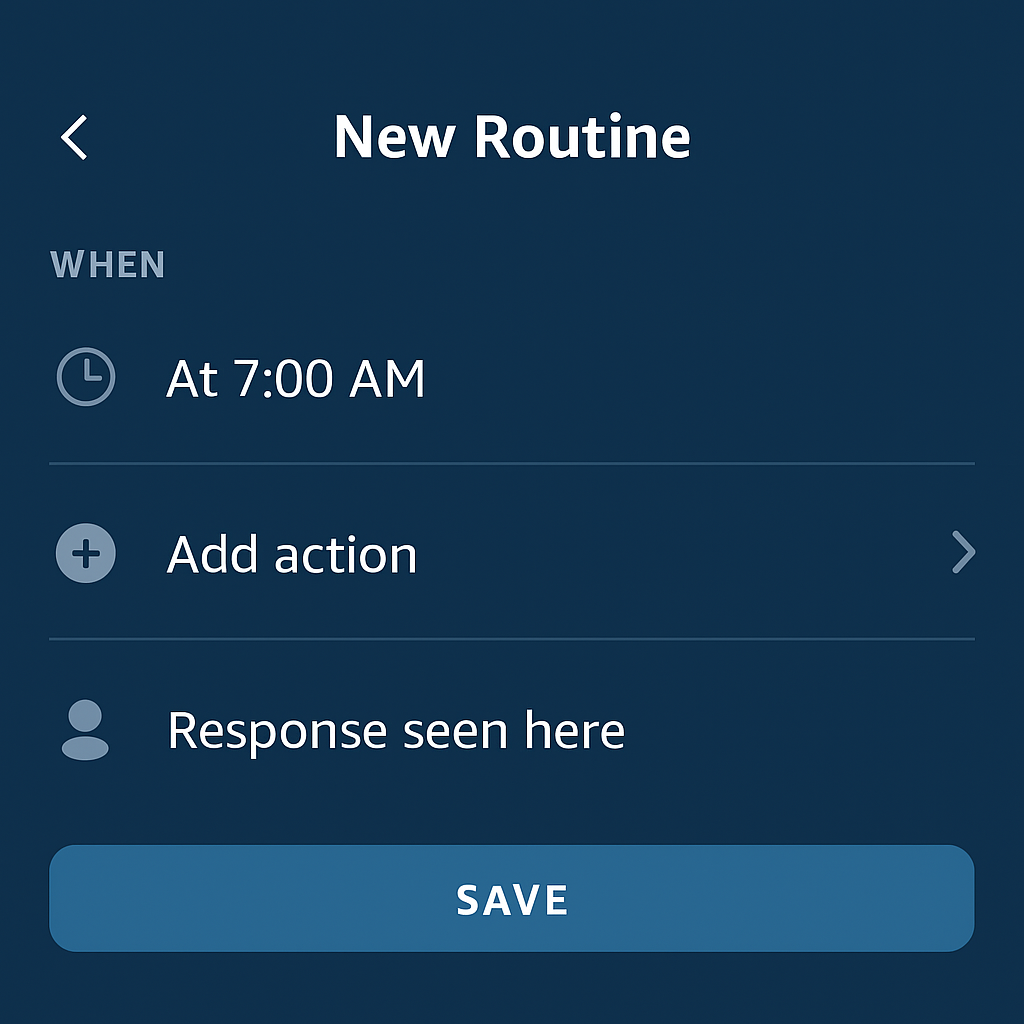
Open the Alexa App and navigate to “Routines.”
Tap “+” to create a new routine.
Set your trigger, such as a voice command like “Alexa, movie time.”
Add your desired actions:
Device → TV → Power On
Device → Lights → Dim
Device → Thermostat → Set Temperature
Save your routine and test it using your voice.
📝 Pro Tip
For smoother automation, add short delays between actions. This gives your devices time to respond properly and ensures everything activates in sequence—making your Alexa routines for TVs feel natural, responsive, and perfectly coordinated.

Troubleshooting Alexa Routines
Once you’ve set up your Alexa routines for TVs, a few simple tweaks can make your automations faster, more reliable, and easier to manage.
✅ Best Practices for Smooth Performance
Name devices uniquely: Avoid duplicate names like “Living Room Light” and “Living Room Lamp.” Clear names help Alexa identify the right device every time.
Re-sync smart home skills: If a routine isn’t triggering, re-link or refresh your smart home skills in the Alexa app to restore proper communication.
Confirm TV visibility: Check that your TV appears under “Devices” in the Alexa app and that it’s properly set up for voice control.
Group devices by room: Create room-based groups (e.g., Living Room) so Alexa can execute multiple actions at once—perfect for scenes like “Alexa, movie time.”
By following these tips, you’ll ensure your Alexa routines for TVs run seamlessly, creating a more fluid, hands-free smart home experience that works exactly as you expect.

Tips for Maximizing Routine Potential
Once you’ve mastered the basics, you can take your Alexa routines for TVs to the next level by adding creative automations that blend entertainment, convenience, and family management. These advanced routines make your smart home feel truly intelligent.
Use Sunrise and Sunset Schedules
Automate routines to turn on your TV at sunrise for morning news or dim lights and power off the TV at sunset for evening relaxation. This ensures your devices adjust naturally to your daily rhythm.
Integrate Ring Doorbells
Pair your Ring doorbell with Alexa to automatically pause the TV or display the camera feed when someone rings the doorbell. It’s a simple way to stay aware without leaving the couch.
Add Custom Announcements
Include voice announcements within routines, such as “Dinner is ready” or “The door has been unlocked.” These notifications enhance communication and awareness throughout your home.
Create Kids’ Routines
Design special after-school TV routines that limit screen time. For instance, set Alexa to turn off the TV after one hour or announce “Homework time!” to encourage healthy viewing habits.
By integrating these features, your Alexa routines for TVs become more personalized, flexible, and family-friendly—turning your living room into a true smart home hub that adapts to your lifestyle.
