
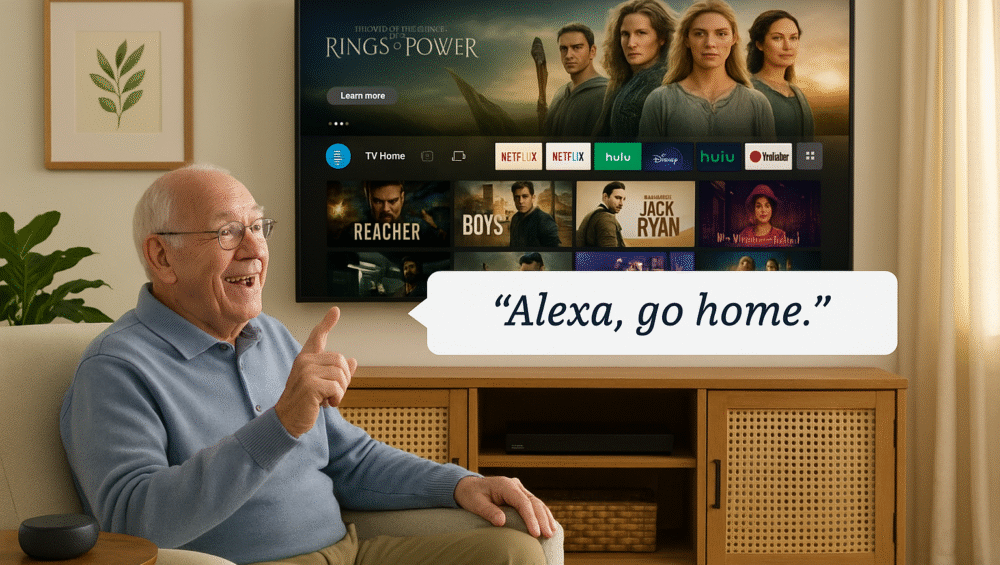
The Fire TV Echo setup for seniors is one of the most effective ways to make smart home technology easier and more accessible. By pairing Amazon Fire TV with an Echo speaker, seniors gain the ability to control their TV completely hands-free, using only their voice.
Moreover, this combination transforms the living room into a smart hub where everyday entertainment and essential functions become simpler. In this guide, we’ll walk you step by step through how to set up Fire TV with Echo for seniors and explain how this remote-free solution improves daily convenience, accessibility, and independence.
Benefits of Fire TV Echo Setup for Seniors
The Fire TV Echo setup for seniors eliminates many of the challenges that traditional remotes create. By combining Fire TV with Alexa-enabled Echo devices, seniors gain a simpler and more accessible way to enjoy entertainment and manage their homes.
No Remote Needed – Say goodbye to tiny buttons and misplaced remotes.
Hands-Free Operation – Control volume, launch apps, and power your TV on or off using only your voice.
Easy-to-Remember Commands – Simple prompts like “Alexa, turn on the TV” make operation stress-free.
Smart Home Compatibility – Fire TV can also trigger routines, lights, and other connected devices, extending convenience beyond the screen.
✅ With these advantages, the Fire TV Echo setup for seniors makes TV watching and smart home control both intuitive and empowering.
How to Link Fire TV and Echo
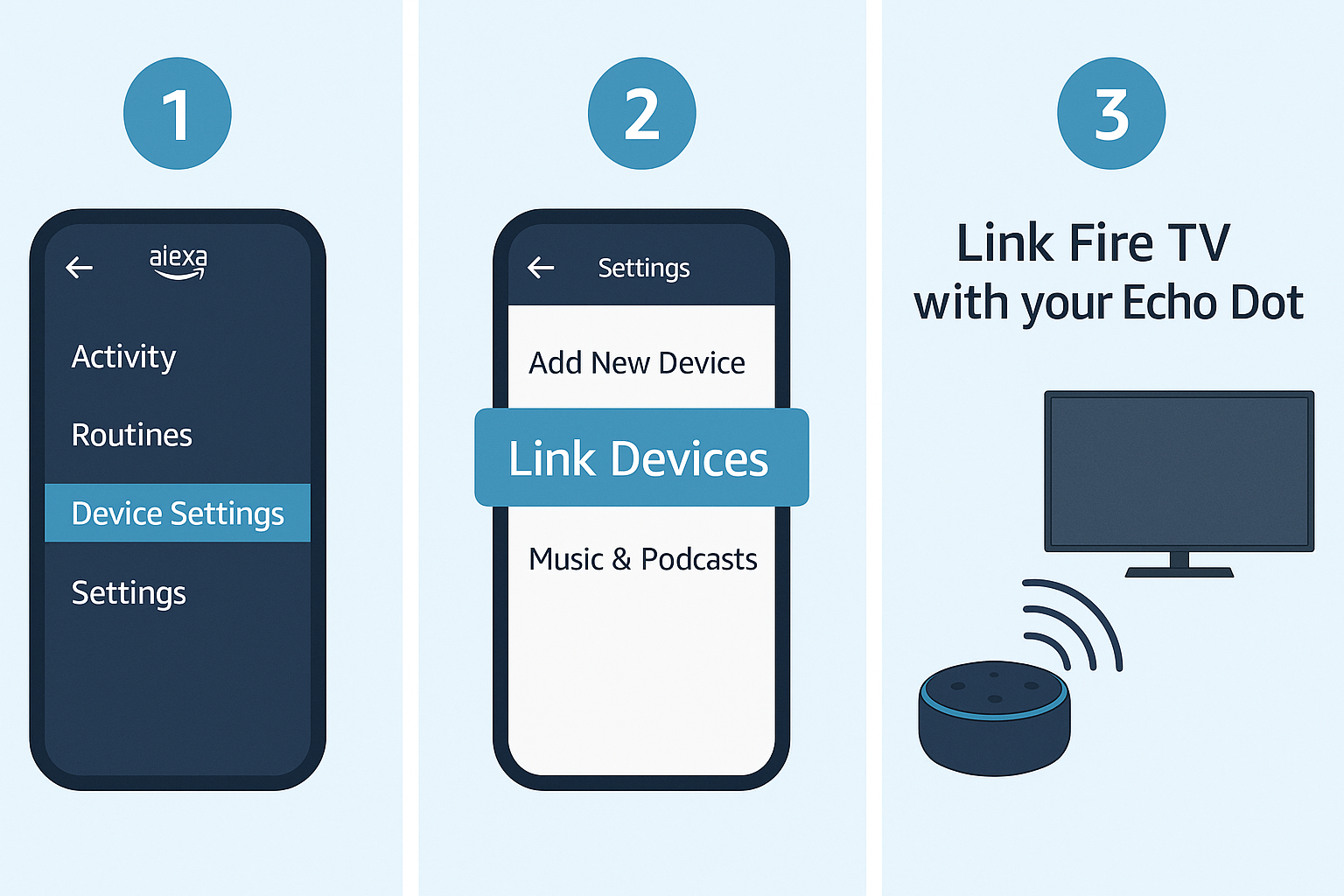
Connecting Fire TV with an Echo speaker is simple, and once paired, seniors can enjoy full hands-free TV control. Here’s how to set up the Fire TV Echo setup for seniors step by step.
Requirements:
An active Amazon account
A Fire TV or Fire Stick (signed in with the same Amazon account)
An Echo device (connected to the same Wi-Fi and Amazon account)
Step-by-Step Setup:
Open the Alexa app on your smartphone.
Go to Devices > + (Add Device).
Select TV > Fire TV, then choose your Fire TV model.
Pick the Echo device you want to link with Fire TV.
Tap Link Devices and follow the on-screen prompts.
✅ That’s it! Your Fire TV Echo setup for seniors is now complete. You can control Fire TV hands-free with simple voice commands like “Alexa, turn on the TV” or “Alexa, open Netflix.”
Example Voice Commands for Setup
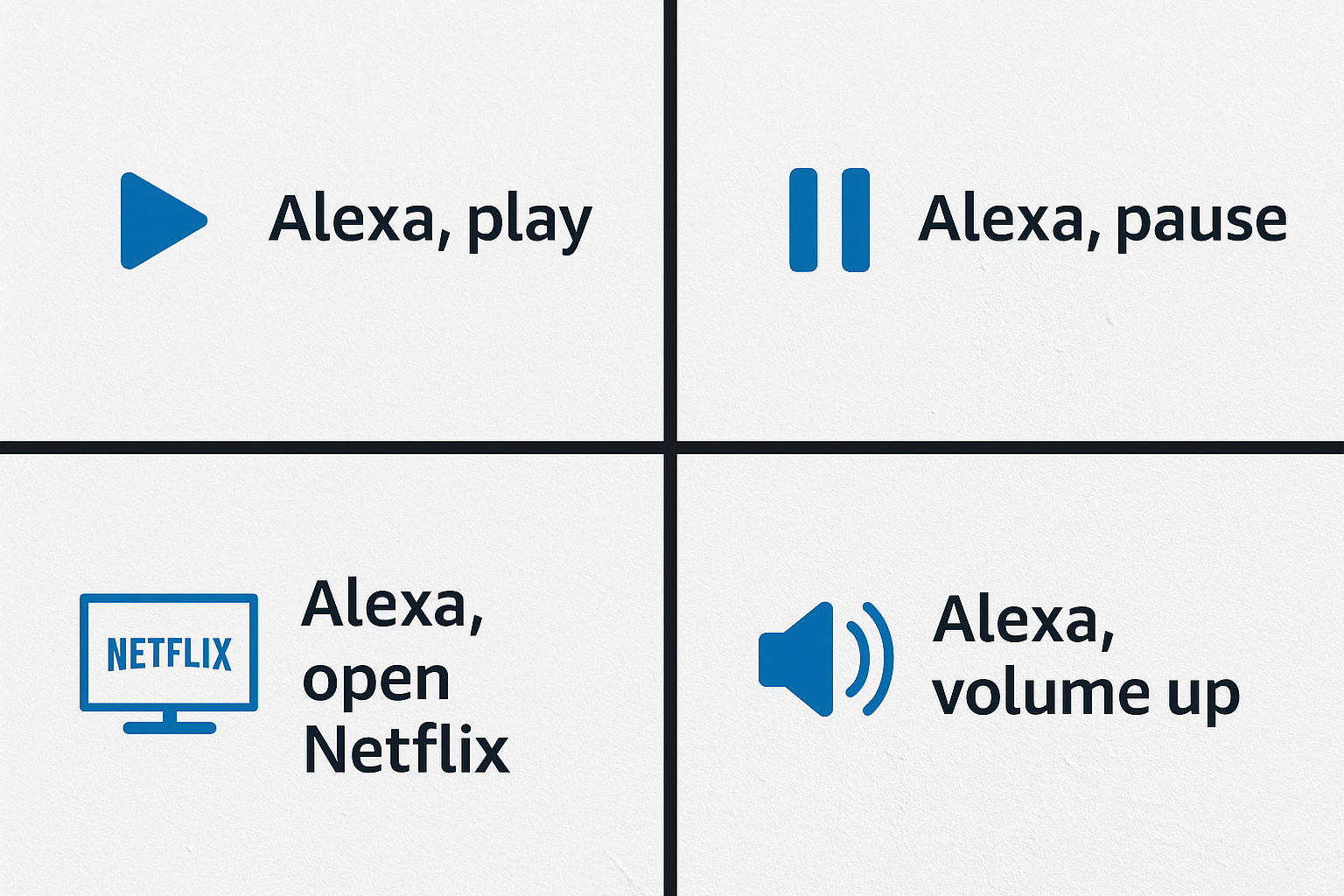
Once the Fire TV Echo setup for seniors is complete, using the system is as simple as speaking a command. Here are some easy-to-remember phrases that make TV control stress-free:
“Alexa, turn on the TV.” – Powers on the Fire TV instantly.
“Alexa, open YouTube on Fire TV.” – Launches YouTube without searching through menus.
“Alexa, increase volume.” – Raises the sound level hands-free.
“Alexa, pause.” – Stops playback right away.
“Alexa, go to home screen.” – Returns to the Fire TV home menu.
✅ Tip: Use short, simple phrases and practice them a few times to build comfort. Seniors will quickly remember these commands, making the Fire TV Echo setup for seniors both practical and empowering.
Simple Alexa Routines for Senior-Friendly Control
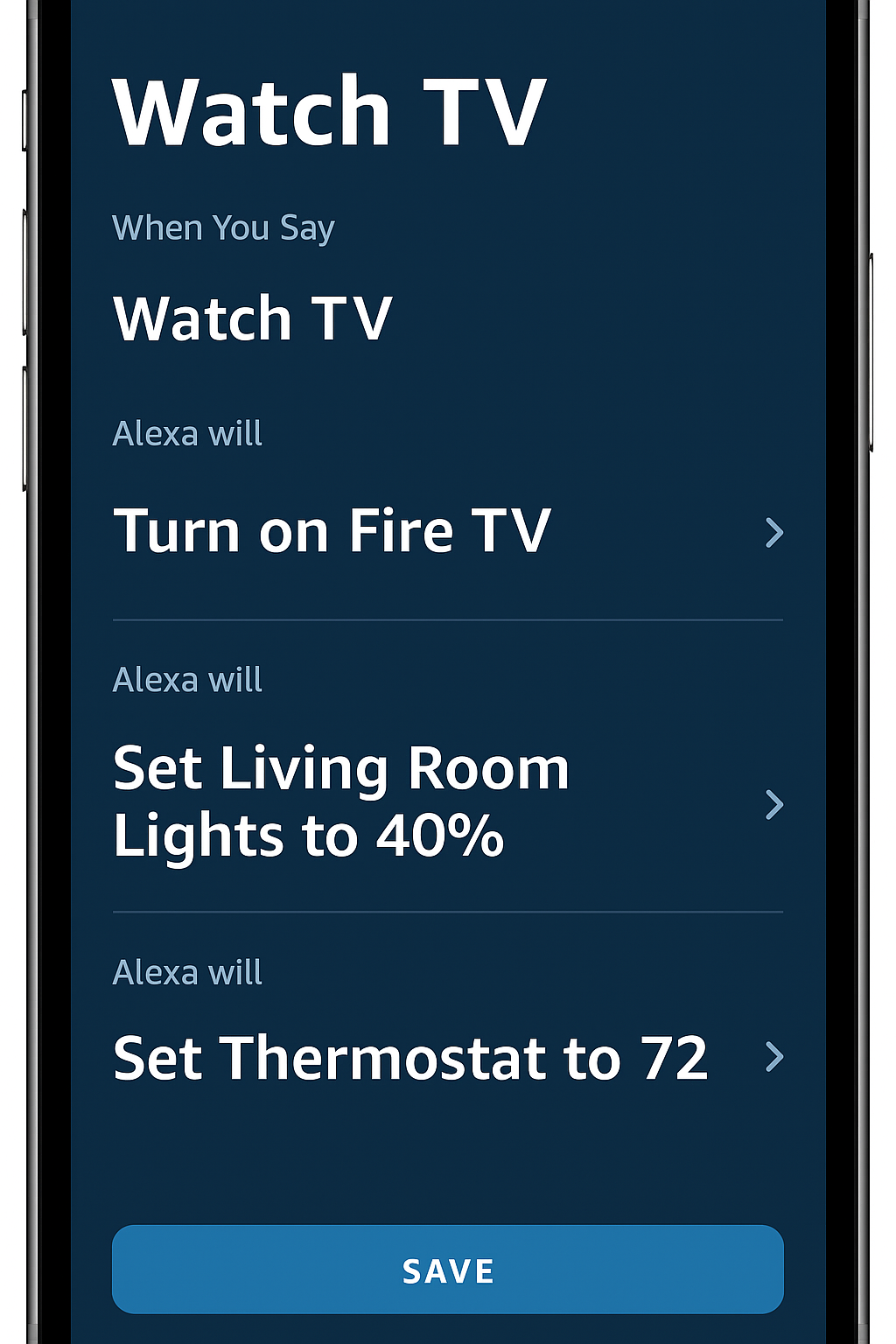
With the Fire TV Echo setup for seniors, daily entertainment becomes even easier when paired with Alexa Routines. These automations allow multiple actions to happen with a single phrase or scheduled time. Below are three senior-friendly routines:
Routine 1: “Watch TV”
Trigger: Say “Alexa, watch TV”
Actions:
Turn on Fire TV
Set volume to 15
Launch favorite app (e.g., Netflix)
Routine 2: “Good Morning”
Trigger: Time-based (e.g., 7:30 AM)
Actions:
Turn on Fire TV
Launch news channel
Announce weather forecast
Routine 3: “Bedtime”
Trigger: Voice or schedule
Actions:
Turn off Fire TV
Dim smart lights
Play sleep sounds or calming music
✅ By combining routines with the Fire TV Echo setup for seniors, entertainment and daily tasks become simple, consistent, and hands-free — enhancing both comfort and independence.
Pro Tips for Fire TV Echo Setup for Seniors
To get the most out of your Fire TV Echo setup for seniors, a few small adjustments can make daily use even smoother:
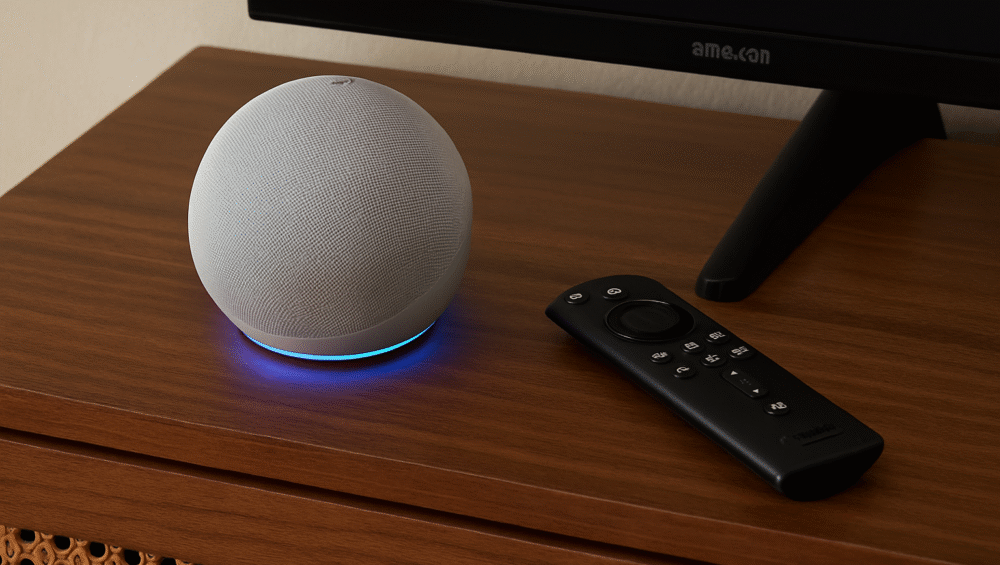
Place Echo Near the TV – Position the Echo close to the television for better microphone pickup, ensuring voice commands are always heard clearly.
Use an Echo Dot with Clock – The built-in time and volume display provides quick visual feedback without needing the TV on.
Enable Alexa’s Follow-Up Mode – This feature allows multiple requests in a row without repeating “Alexa” each time.
Set TV Sleep Timers by Voice – Simply say, “Alexa, turn off TV in 30 minutes” for automatic shutoff at night.
✅ These tips make the setup for seniors even more practical, accessible, and user-friendly, especially for those who want a hands-free, stress-free TV experience.
Troubleshooting Common Setup Issues
Even with a smooth Fire TV Echo setup for seniors, occasional hiccups can happen. Here are common problems and quick solutions:
| Problem | Solution |
|---|---|
| Echo not responding to TV | Ensure your Echo and Fire TV are properly linked in the Alexa app. |
| Voice command not working | Check your Wi-Fi connection and confirm microphone permissions. |
| Cannot launch apps | Try re-linking the Echo to Fire TV in the Alexa app. |
| Volume too high/low | Use Alexa voice commands (e.g., “Alexa, volume 15”) to adjust easily. |
✅ Tip: If problems persist, restart both the Echo device and the Fire TV to reset the connection.
Best Echo Models for Fire TV Echo Setup for Seniors
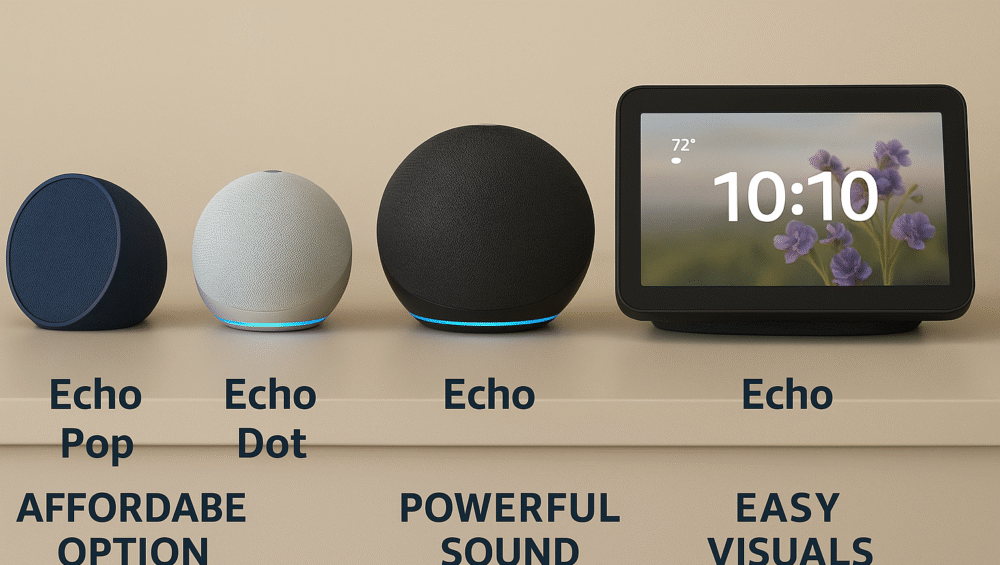
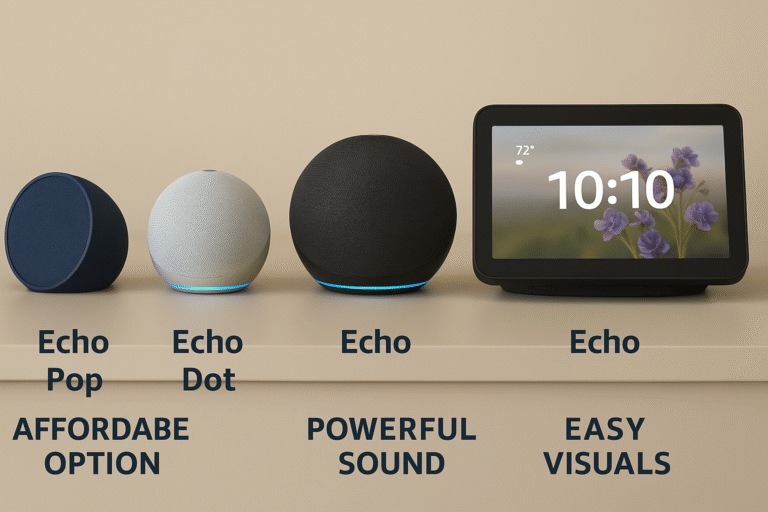
Choosing the right Echo device is key to creating a simple and reliable Fire TV Echo setup for seniors. Below is a breakdown of popular models and why they’re ideal for elderly users:
| Echo Model | Why It’s Great for Seniors | Price Range |
|---|---|---|
| Echo Dot | Small, affordable, and offers easy voice control | ~$50 |
| Echo Show 5/8 | Adds a screen with larger on-screen prompts | ~$70–130 |
| Echo Studio | Delivers enhanced audio, perfect for hearing support | ~$199 |
✅ With these options, seniors can choose an Echo that matches their needs — from basic voice commands with the Echo Dot to visual assistance on the Echo Show or powerful sound from the Echo Studio.
Conclusion
The Fire TV Echo setup for seniors delivers a smart TV experience that is both powerful and accessible. By eliminating the need for a remote and replacing it with simple voice commands, it offers seniors greater independence, comfort, and ease in daily entertainment.
Whether you’re setting this up for a parent or creating your own system, the process is straightforward, affordable, and highly practical. For the smoothest experience, begin with a Fire TV Omni QLED paired with a compact Echo Dot, then expand with voice routines to unlock effortless smart home control.
✅ With the right setup, this setup for seniors can transform television into an intuitive, hands-free hub that makes everyday life easier and more enjoyable.