
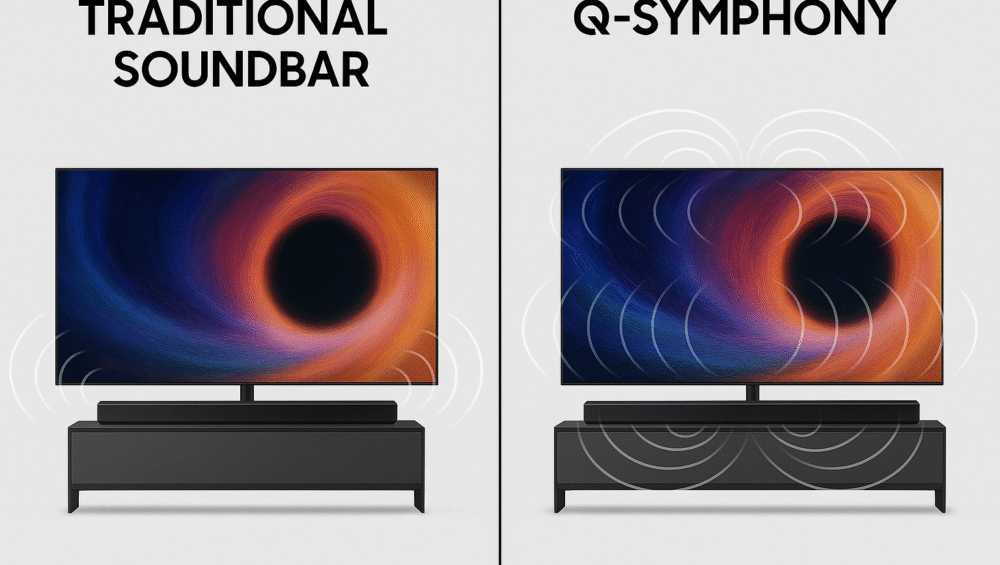
In the world of smart entertainment, Samsung Q-Symphony explained reveals why this technology has become a must-have feature for 2025. By allowing your Samsung TV and HW-Q700C soundbar to work in perfect harmony, Q-Symphony delivers a truly immersive soundscape that transforms your living room into a cinematic experience.
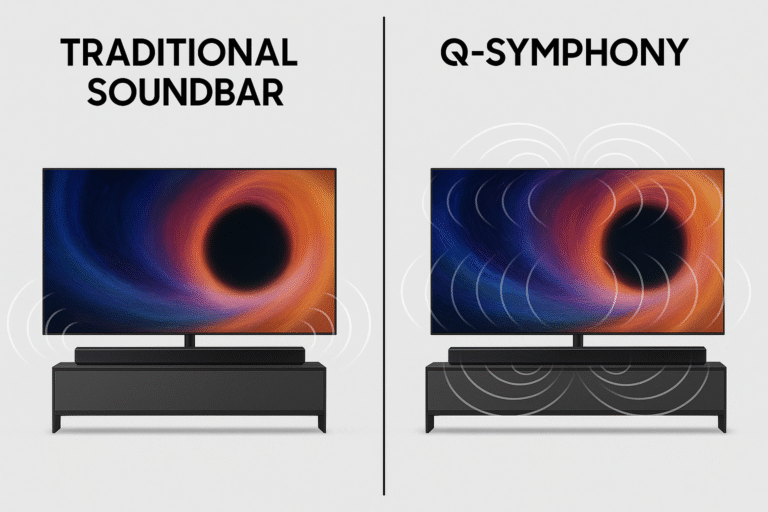
Unlike traditional setups that disable TV speakers when a soundbar is connected, Samsung Q-Symphony keeps both the TV’s speakers and the soundbar active—creating richer, multidimensional audio. In this guide, we’ll dive deeper into how Q-Symphony works, what makes it different from standard sound systems, and why it’s one of Samsung’s most impactful innovations for home theater enthusiasts.
What is Samsung Q-Symphony?
At its core, Samsung Q-Symphony is an innovative audio technology built to deliver a richer, more cinematic sound by synchronizing your TV’s built-in speakers with a compatible Samsung soundbar.
Unlike traditional setups that disable TV speakers when a soundbar is connected, Samsung Q-Symphony explained shows how this feature uses every available speaker—from the TV to the soundbar—to create a unified, multidimensional soundstage. The outcome is deeper bass, clearer dialogue, and a room-filling sound experience that feels lifelike and engaging.
With Samsung Q-Symphony, you enjoy the best of both worlds: the power and precision of a soundbar combined with the spatial projection of your TV’s speakers—all perfectly synchronized for a truly immersive home theater experience.
How Samsung Q-Symphony Works
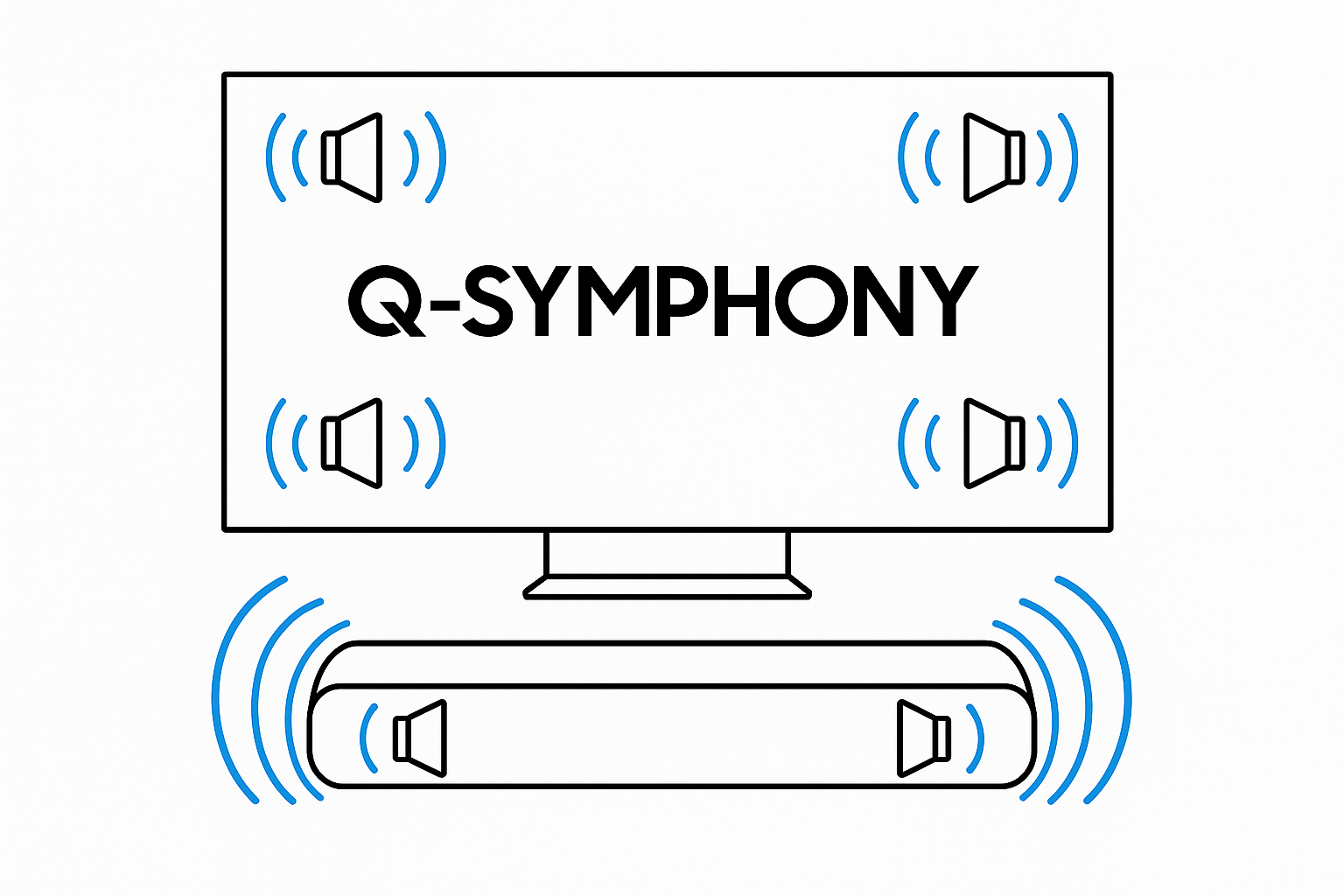
To fully understand Samsung Q-Symphony explained, it helps to see how the technology analyzes and distributes sound intelligently. Instead of letting your TV and soundbar act separately, Q-Symphony synchronizes their output to create a single, unified soundstage that feels rich and immersive.
How the System Balances Audio:
TV Speakers: The top and side speakers on your Samsung TV project ambient and spatial effects, expanding the sound field around you.
Soundbar Channels: The front, center, and height channels on the HW-Q700C deliver crisp dialogue, clarity, and vertical depth for a lifelike experience.
Together, these components form a broader and deeper sound field than traditional 5.1 or 3.1.2 setups, making movies, games, and music sound more realistic and engaging.
Bonus Advantage:
Unlike conventional systems, Samsung Q-Symphony requires no manual calibration. It automatically detects compatible TVs and soundbars, syncing instantly out of the box to provide seamless, perfectly balanced audio from the very first use.
Samsung Compatible TVs
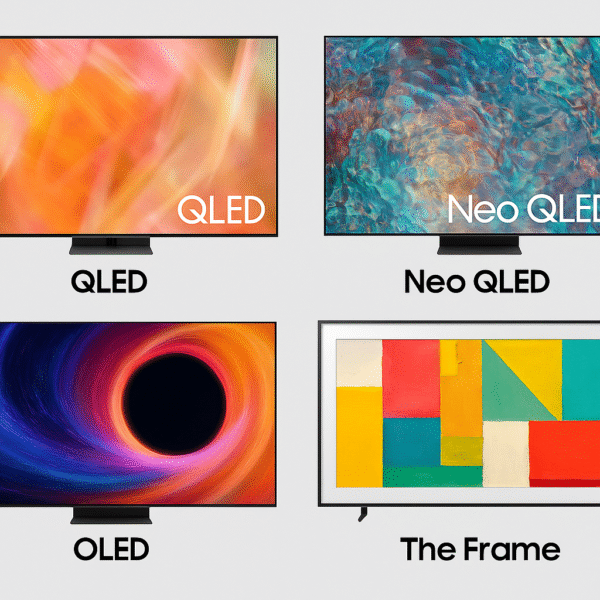
When exploring Samsung Q-Symphony explained, one of its biggest strengths is its wide compatibility across Samsung’s smart TV lineup. Since its debut in 2020, Q-Symphony has expanded to include nearly all premium and mid-range Samsung TVs, ensuring seamless pairing with soundbars like the HW-Q700C for a smooth, powerful audio experience.
Supported Samsung TV Models:
Neo QLED 4K/8K Series: Delivers the most precise synchronization and dynamic sound layering.
OLED S90C/S95C Series: Offers deep contrast and spatial accuracy with synchronized Dolby Atmos audio.
QLED Q60/Q70/Q80 Series: Perfect for balanced performance between immersive audio and value for money.
Pro Tip for Best Performance:
For the most refined experience, pair your Samsung soundbar with 2023–2025 TV models that support HDMI eARC and native Dolby Atmos decoding. This setup ensures full-bandwidth audio transmission, giving you the most immersive and accurate sound possible.
With such broad support, Samsung Q-Symphony offers plug-and-play harmony between your TV and soundbar—no extra calibration or complex setup needed, just effortless, synchronized sound that fills the room beautifully.
Key Benefits of Samsung Q-Symphony
The brilliance of Samsung Q-Symphony lies in how it enhances your home theater without complex installations or extra speakers. As Samsung Q-Symphony explained, this technology unifies your TV and soundbar, creating balanced, multidimensional sound that feels immersive yet incredibly simple to set up.
Immersive Surround Without Extra Speakers
Enjoy full-room sound without clutter. Q-Symphony boosts mids, treble, and surround tones by using both your TV and soundbar speakers together. The result is layered, cinematic audio that pulls you right into the scene.
Voice Clarity for Dialogues
Hear every word clearly with a dedicated center channel on the soundbar and vocal tuning from your TV’s processor. Even in action-packed scenes, dialogue stays sharp and easy to follow.
Effortless Setup
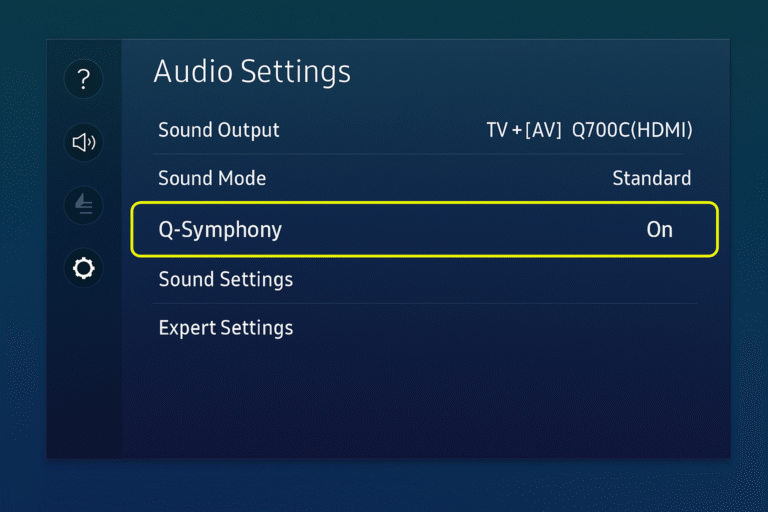
Forget complex calibration. Just connect via HDMI eARC and activate Q-Symphony in your TV’s sound settings. In seconds, your TV and soundbar synchronize for a rich, theater-like sound experience.
In the end, Samsung Q-Symphony shows that immersive sound doesn’t need complexity—just smart synergy between hardware and innovation.
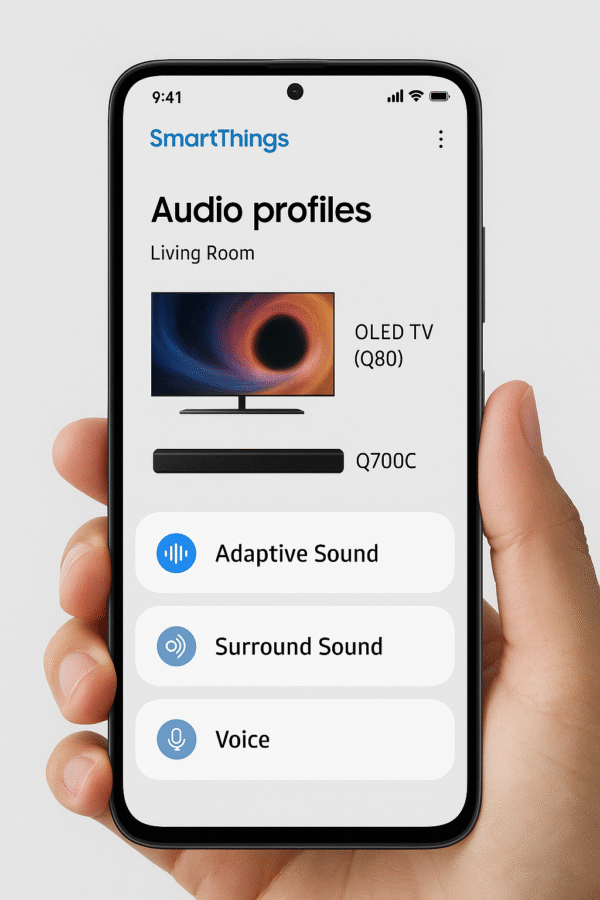
SmartThings and Q-Symphony – A Perfect Pair
Another highlight of Samsung Q-Symphony explained is how easily it works with the SmartThings app, offering full control right from your smartphone. This integration turns your phone into a smart remote, letting you adjust sound settings, switch modes, and even connect your setup to Alexa routines for hands-free automation.
What You Can Do with SmartThings:
Control Volume and EQ: Adjust volume, balance bass and treble, or fine-tune the equalizer—all from your phone.
Switch Audio Modes: Quickly move between Q-Symphony, Surround, or Game Mode depending on what you’re watching.
Integrate with Alexa Routines: Automate actions like dimming lights, changing sound modes, or turning off the soundbar after a movie.
With SmartThings integration, Q-Symphony becomes much more than simple TV-soundbar sync—it turns into a connected, customizable sound experience that blends perfectly with your smart home ecosystem.
Samsung Q-Symphony vs Standard Soundbar Setup
To fully understand Samsung Q-Symphony explained, it’s important to see how it differs from a regular soundbar setup. Unlike traditional systems that turn off the TV’s built-in speakers, Q-Symphony keeps all speakers active, working together for richer and more immersive sound.
| Feature | Standard Soundbar | Q-Symphony Setup |
|---|---|---|
| TV Speakers Enabled | ❌ Disabled | ✅ Enabled |
| Front Soundstage | Medium | Wide and Expansive |
| Dialogue Enhancement | Basic | Advanced (Soundbar + TV Vocal Processing) |
| Setup Complexity | Medium (Manual Calibration) | Easy (One-Click Activation) |
In short, this comparison shows why Q-Symphony stands out. It offers a broader soundstage, clearer dialogue, and simpler setup—all without needing extra speakers or manual fine-tuning.
How it Stands Apart from Other Audio Systems
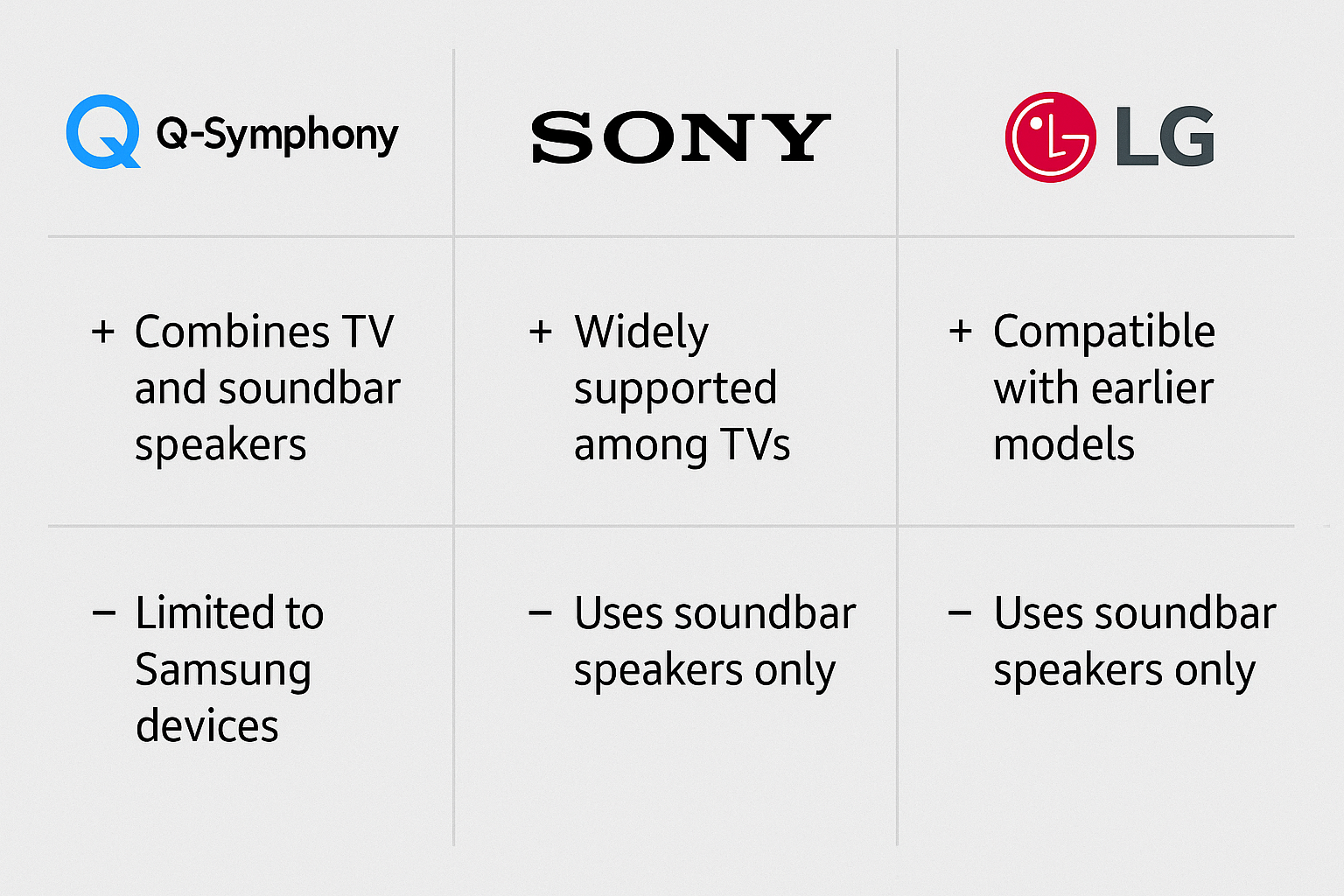
While Sony Acoustic Surface Audio+ and LG AI Sound Pro offer great sound improvements, Samsung Q-Symphony still leads in simplicity and smooth integration. As Samsung Q-Symphony explained, its strength comes from how it combines your TV and soundbar into one powerful audio system, instead of keeping them separate.
Key Differences:
External Calibration Needed: Competing systems like Sony and LG often need room tuning or manual setup to sound their best.
Limited Integration: These systems don’t let TV and soundbar speakers work together—only one plays sound at a time.
Unified Soundstage Advantage: Q-Symphony turns your TV into a soundbar extension, creating richer and more dynamic audio.
In short, Q-Symphony makes your TV an active part of your sound system, not just a screen. It offers simple setup, immersive sound, and perfect balance—a mix few other systems can match.
Final Thoughts on Samsung Q-Symphony
As Samsung Q-Symphony explained, this technology remains a top choice in 2025 for improving home audio. When paired with a compatible soundbar like the Samsung HW-Q700C, it creates a smooth, synchronized sound that feels both cinematic and effortless.
Unlike older systems that need extra gear or tricky setup, Q-Symphony works right away. There’s no calibration, no guesswork—just perfect harmony between your TV’s built-in speakers and the soundbar’s channels.
For Samsung TV owners, turning on Q-Symphony is more than changing a setting. It’s a simple upgrade that changes how sound and visuals work together. As a result, you get a balanced, room-filling sound that makes every movie or show feel like a true theater experience at home.